Motorola APX XE Extreme Remote Speaker-Mics Compared

APX XE vs APX XE-500 Features

These speaker-mics are discontinued. Our article, 2025 Motorola APX Remote Speaker-Mic Guide will provide the latest info for APX series.

Motorola APX XE vs. APX XE500 RSM Feature Comparison

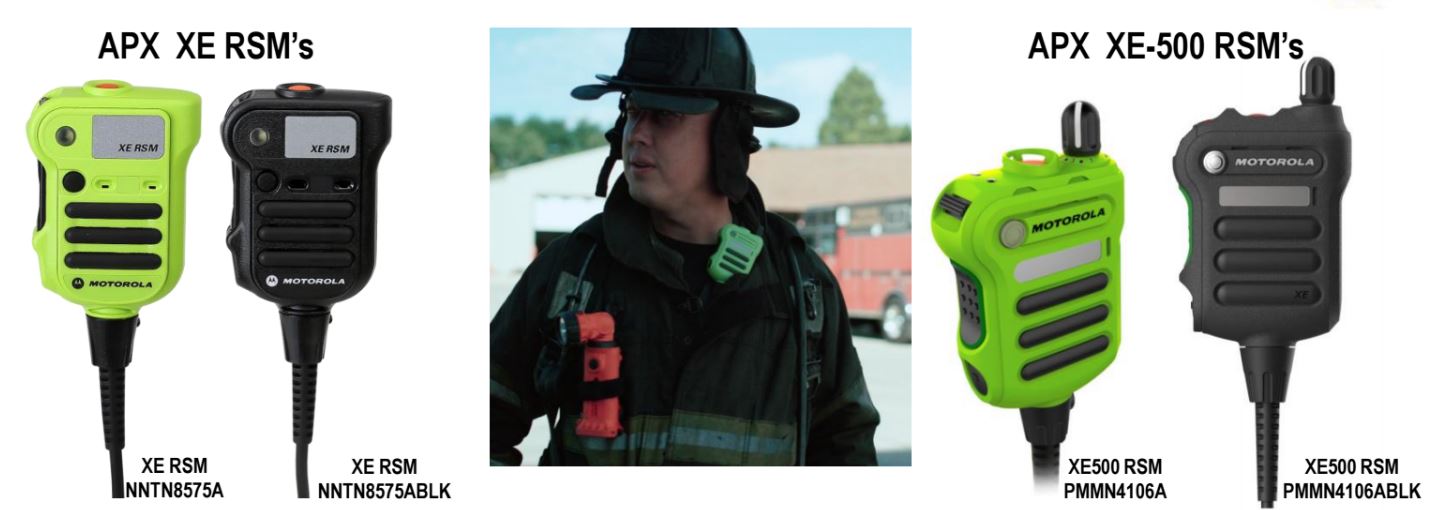
Motorola’s IMPRES XE rugged remote speaker-microphone (RSM) choices for extreme environments are designed for firefighters with APX 6000XE, APX 7000XE, and APX 8000XE P25 radios. Available in black or high visibility green, they have a strobe light, orange emergency button, and clip with D-ring.

Motorola APX XE and APX XE500 Shared Features

Both the XE and XE-500 are rated IP68 for submersibility and carry an intrinsically-safe rating to match the APX radio certification. Both have a large volume toggle switch and are 50% louder than a XTS RSM. There is a reflective label on both styles for increased visibility. The APX XE was introduced about 5 years ago and is available in green (NNTN8575A) and black (NNTN8575ABLK).

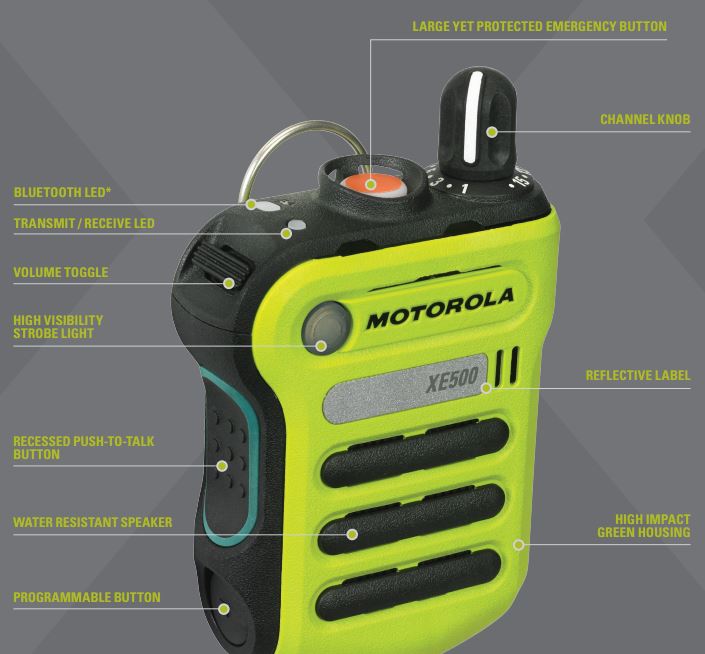
New APX XE500 Feature ImprovementsXE500 Features and Controls

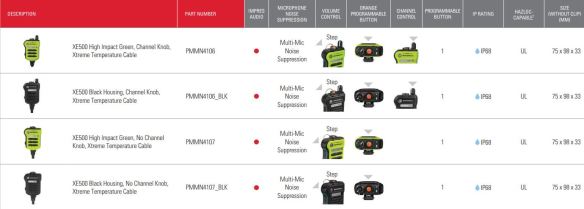
The XE500 started shipping last year with additional features. It has a channel knob and larger emergency button with embedded orange lighting. Noise suppression is improved and can pickup your voice when you can’t hear yourself talking. The heat resistant cable can withstand 500 degrees for 5 minutes without harm.

The XE500 is intrinsically safe rated for UL-TIA4950 but does not have a FM certification. If your department uses intrinsically-safe APX radios, check to determine if you need FM or UL certified accessories. They are not interchangeable.

The XE500 with channel knob is available in green (PMMN4106A) or black (PMMN4106ABLK). The XE500 is now available without a channel knob in high impact green (PMMN4107) and black (PMMN4107_BLK).

Extreme temperature High Impact Green and Black RSM's

Link to Motorola APX XE500 Datasheet   Link to APX XE Datasheet

Boston Leather Radio Holder Chart with Measurements

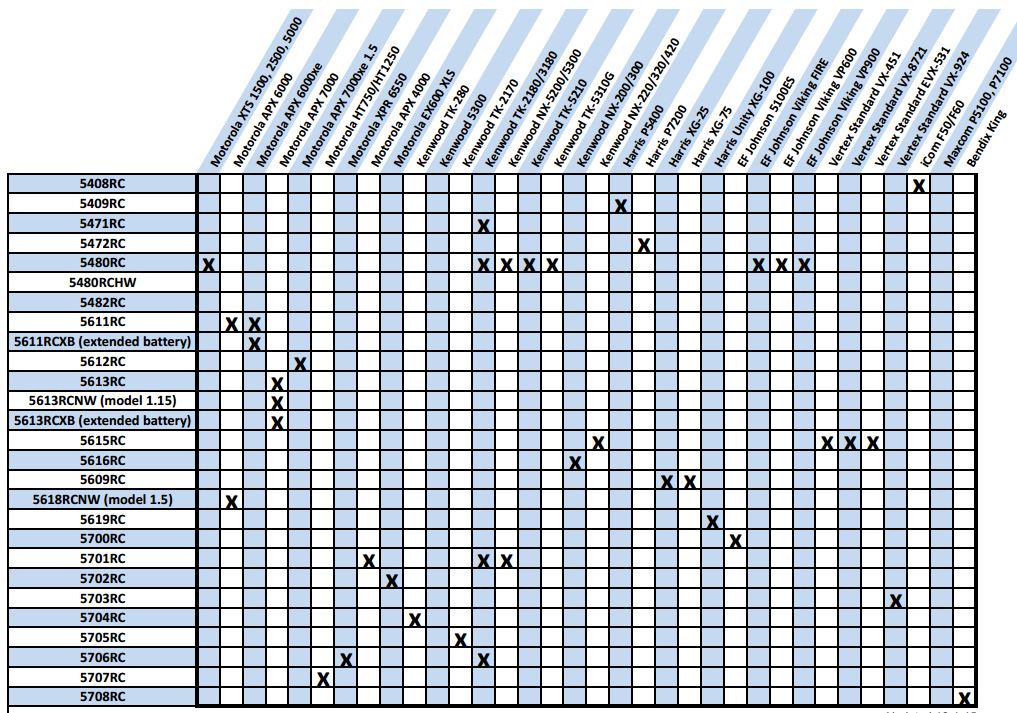
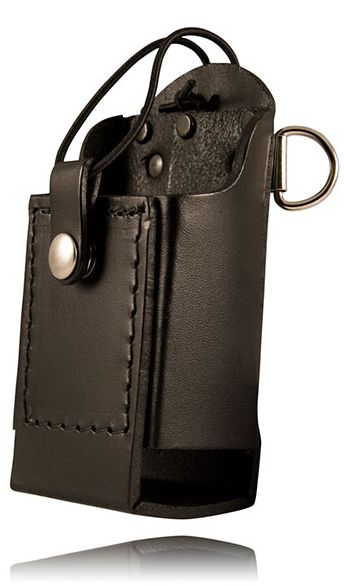
Boston Leather radio holders, fire, ems , and law enforcement accessoriesBoston Leather offers 34 custom designed holders for Motorola, Vertex Standard, Kenwood, Harris, EF Johnson, Icom, and Bendix King two-way radios. The compatibility chart below will help find the case designed to fit your radio.

Radio Compatibility Chart

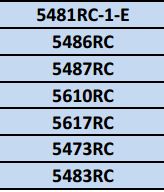
Leather 2-Way Radio CasesThere are also 7 universal cases that adjust to fit almost any model radio. All Boston Leather cases are manufactured Sterling, Illinois and ship in about 2 weeks if not in stock. The “RC” letters indicate large D rings for attaching to firefighter straps. Case numbers without “RC” are designed to be worn on a belt and don’t have D rings.

5481RC-1 Universal CaseHolders manufactured with high quality plain leather finish include a (-1) suffix following the model number. High gloss (clarino) finish is available for some holders and has a (-2) indicator. Basketweave finish is also available and has a -3 suffix. The universal 5487RC-5, 5487RC-5, and 5610RC-5 can be ordered in ballistic weave nylon.

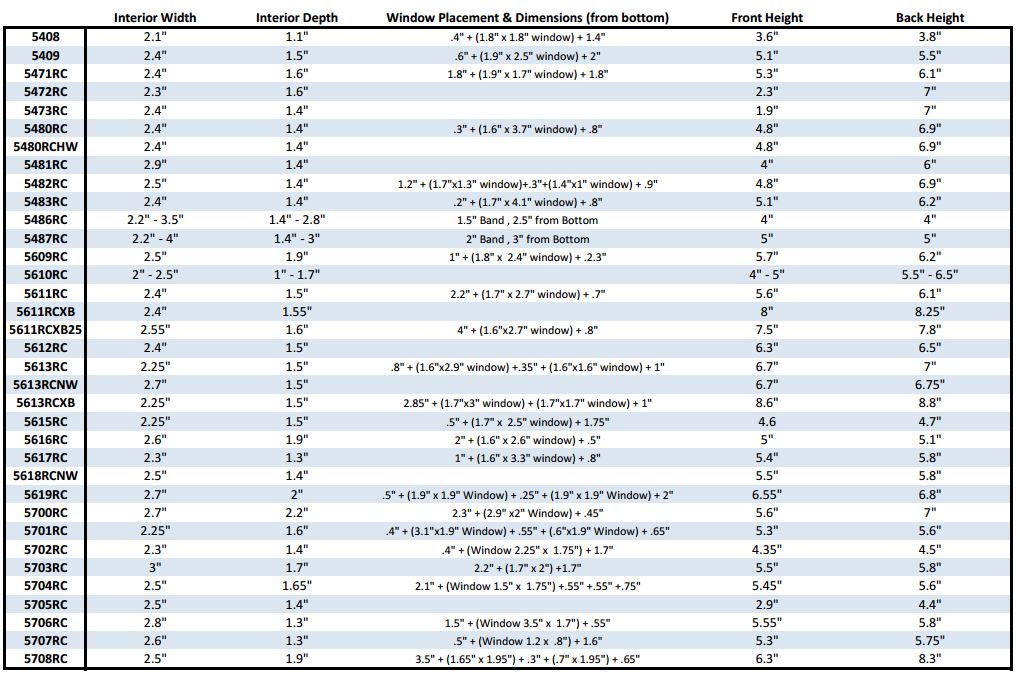
Boston Leather Radio Holder Measurement Chart

Case Measurement Chart

Download Boston Leather Radio Holder Size Chart

Contact us to discuss your specific needs if not listed. Boston Leather will design a custom leather holder for any 2-way radio or device carried by firefighters, ems professionals, police, and law enforcement.

Pryme Bluetooth Accessories for ZELLO, KODIAK, and WAVE PTT Apps

Pryme 2-way radio accessoriesAndroid and Apple iOS smartphone users are adding enhanced push-to-talk (EPTT) apps for walkie-talkie group communications.

Pryme has designed a variety of professional grade Bluetooth accessories for easy pairing with popular enterprise apps including ZELLO, KODIAK, and WAVE.

Accessories include wireless push-to-talk buttons with a 2 year replaceable battery, USB rechargeable PTT’s, lapel mics with surveillance acoustic tube, and a rugged remote speaker-microphone. They are designed to work with smartphones, tablets, and other devices with Bluetooth connectivity. Each is customized to pair with the specific app and operating system.

Wireless Accessories for ZELLO Walkie-Talkie App UsersZello Walkie Talkie Accessories

ZELLO app users have a variety of choices but not all are compatible with both Android and iOS. For a basic remote push-to-talk button, Android devices require the BT-PTT2-ZD and Apple iOS must use the BT-PTT-U MINI.
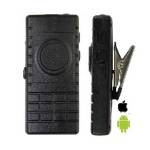
Lapel mic for Zello, Wave AppsThere is a combined remote PTT and lapel mic that works with both Android and iOS.  The BTH-300-ZU has a micro-USB charging port, LED status indicator, and a 3.5mm jack to add headphones or receive-only earpiece.

It will provide up to 10 hours of talk time and includes a metal clothing clip. It also includes Pryme’s one year warranty.
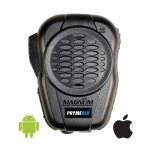
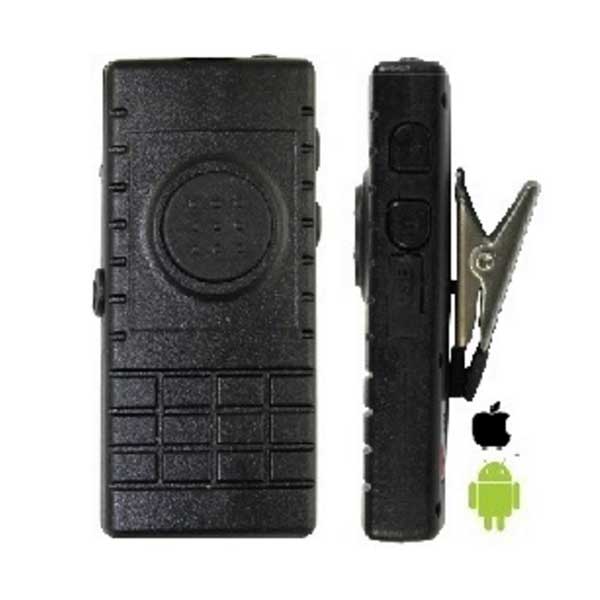
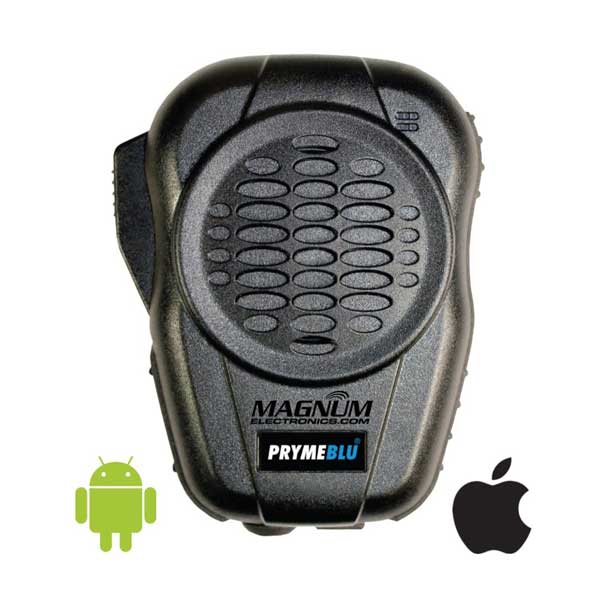
Zello, Wave Wireless Speaker-MicrophoneZello users who prefer a wireless speaker-microphone should choose the BTH-600-ZU. It is heavy-duty, IP56 rugged, built-in remote PTT, and includes a 3.5mm jack.

There is also a rotating clip, waterproof speaker, and operates up to 40 hours on a single charge. The noise-cancelling microphone coupled with a 3.5mm receive-only headset make it a good choice for loud environments.

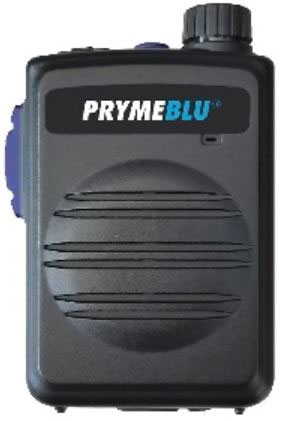
There is also the new smaller and lighter BTH-550-ZU compact wireless RSM. It has aBluetooth Remote Speaker Mic for Zello, WAVE, ESChat rotary control volume knob, waterproof front-facing speaker, directional noise canceling microphone, heavy-duty belt clip, and 3.5mm audio jack.. Range is rated about 30 feet from the smart device.
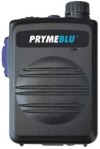
This remote speaker-mic provides up to 40+ hours of operating time with the included USB rechargeable battery. The mic is easy to control with gloves on when working in the cold weather. The BTH-550 can be paired with either Android or Apple tablets or cellphones. The side button activates PTT function while the top button controls normal phone functions.

Wireless Accessories for AT&T KODIAK Enhanced Push-to-Talk AppEPTT wireless accessories

Pryme also developed wireless accessories for AT&T EPTT customers who use the KODIAK app.

The BTH-600-KU heavy-duty remote speaker-mic and the BTH-300-KU lapel mic offer all the same features as above but are configured to pair with the KODIAK app.
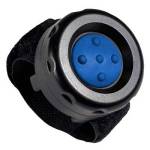
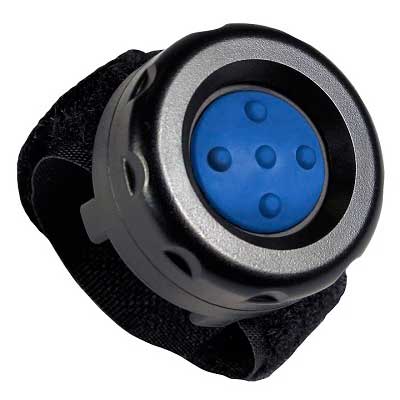
Wireless PTT for Zello, Wave, KodiakIf you only need a remote PTT, the new BT-PTT-U-MINI is the best choice. The velcro strap makes it easy to attach to handlebars, steering wheels, etc. It does not require charging and the replaceable CR2032 button battery lasts 2 years.

It is compatible with both Android and Apple iOS. It also pairs automatically using the app selection setting and remembers the pairing if the battery is replaced.

Wireless Accessories for Motorola WAVE Mobile Communicator PTT AppMotorola Batwings

The Motorola Solutions WAVE app is compatible with the BTH-600-ZU heavy-duty speaker-microphone and the BTH-300-ZU lapel microphone. All of these devices are programmed to pair with either Android and Apple iOS devices.

Pryme Wired Mirage Surveillance Kit With acoustic Tube for Smartphones3.5mm 1-wire with acoustic tube
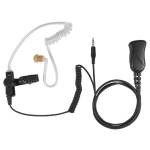
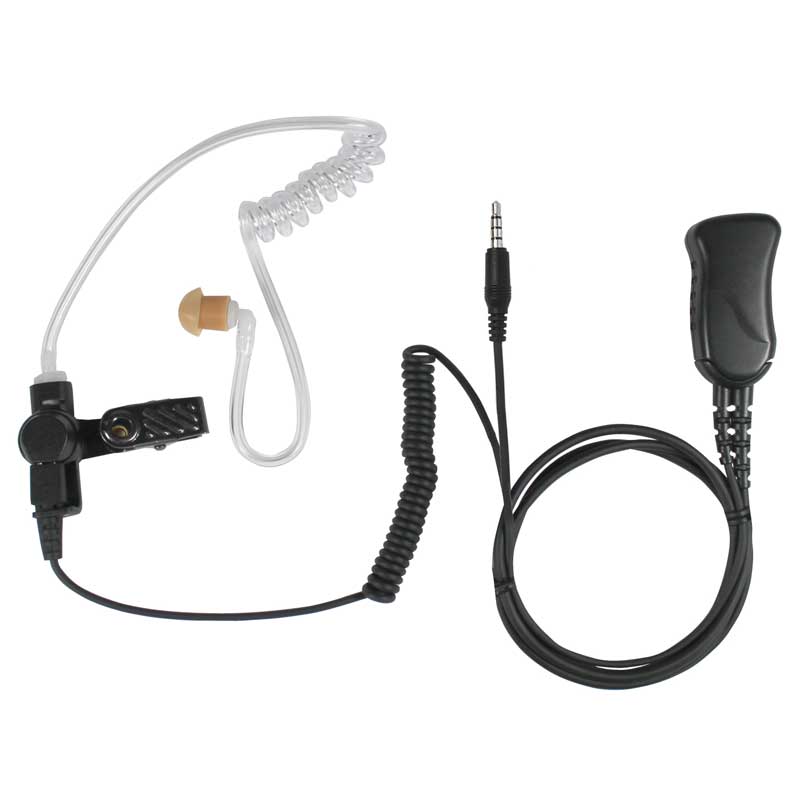
For users who prefer a wired earpiece, Pryme has the Mirage SPM-1399-A surveillance kit with a 3.5mm plug. It is compatible with most Apple or Android smart devices and includes a clear acoustic tube and high quality microphone. It can be used with different types of earpieces depending on the noise environment. You will need to use the soft PTT button the phone display or add a wireless Bluetooth BT-PTT-ZU MINI.

Pryme User Guides for Zello, Kodiak, Wave PTT Apps

Below are the user guides for the products in this post that help you setup pairing, etc

Pryme Wireless Remote PTT User Guides

Pryme Wireless Lapel Microphone User Guides

Pryme Wireless Remote Speaker-Mic User Guide
Choose The Correct Motorola Intrinsically-Safe Battery

New Motorola IS Radios Are Now UL Certified

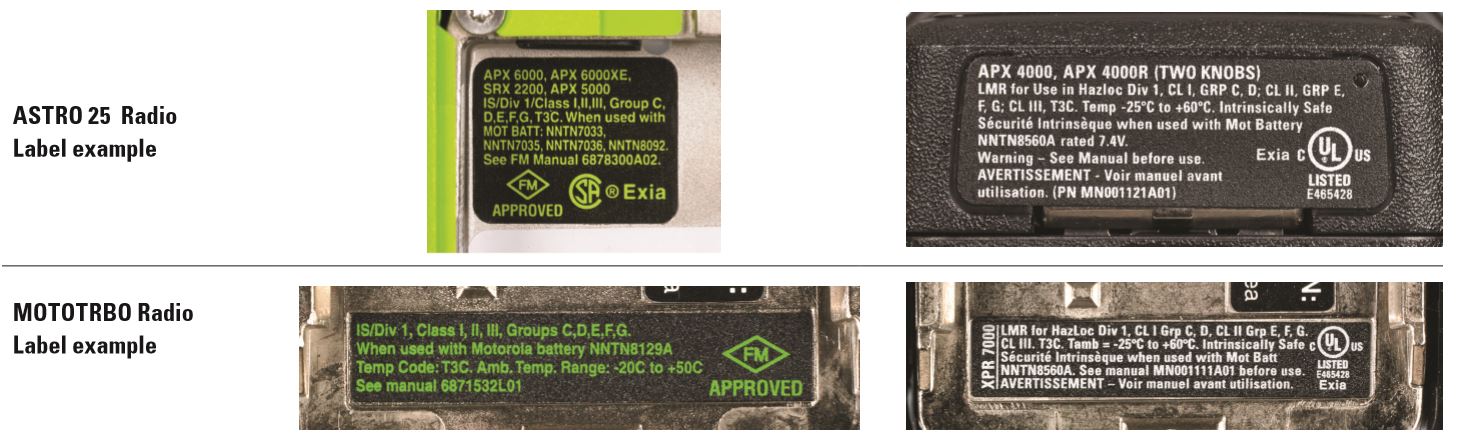
Workers using communications devices in refineries, grain elevators, and fuel storage facilities need an intrinsically-safe certified 2-way radio. Hazardous locations, called HAZLOC, certified radios have a label to identify the NFPA 70 certifications for classifications and groups. Starting 2016, Motorola stopped shipping FM (Factory Mutual) certified radios and transitioned to UL (Underwriters Laboratories). It is important to know FM and UL TIA-4950 intrinsically-safe batteries are NOT interchangeable.

Astro and MOTOTRBO IS Radios

How to Identify FM and UL Certified RadiosGreen dots on battery and radio

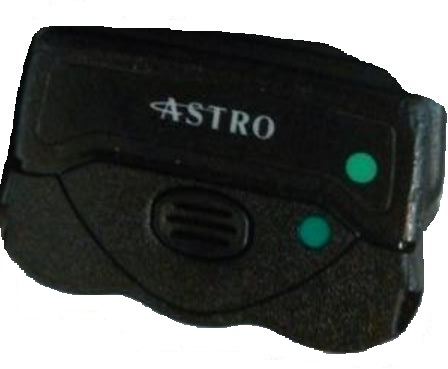
Radios with a FM certification have a label with GREEN text and GREEN dot usually on the bottom of the radio. FM certified batteries have the same GREEN label and GREEN dot. In order to be certified, you need two dots with the same color.

UL certified radios have a label with WHITE text and a WHITE dot. APX and XPR 7000 series intrinsically-safe radio fleets delivered before and after 1/1/16 need to make sure the batteries are correct. FM certified replacement batteries will continue to be available for a long time and are safe. Purchasing managers will need to know if FM or a UL replacement battery is required.

APX and XPR 7000/6000/3000 FM and UL Battery Choices

APX FM (green dot) batteries include NNTN7033, NNTN7035, NNTN7036, NNTN8092, and NNTN8129.

APX UL TIA4950 HAZLOC (white dot) batteries are NNTN8921, NNTN8930, PMNN4504, PMNN4505, and NNTN8560.

XPR 7000 FM (green dot) battery is the NNTN8129. The XPR 6000 series uses the PMNN4069.

XPR 7000 UL TIA-4950 HAZLOC (white dot) battery is the NNTN8560. The XPR 7000e/3000e UL TIA-4950 HAZLOC battery is the PMNN4489.

Update: Motorola Cancels All FM Certified Batteries Effective 12/18/2020

The following batteries are no longer available to order after 12/18/2020: NNTN8092, NNTN7033, NNTN7035, NNTN8129, NNTN4437, NNTN4436, NNTN7453, RNN4007, NNTN9857, NNTN6263, PMNN4069, NNTN4852, HNN9010, and HNN4002.

Fact Sheet – Motorola FM to UL Transition

Motorola FAQ FM to UL TIA Document – MOTOTRBO

Motorola Mic Adapter for Boston Leather Fireman Straps

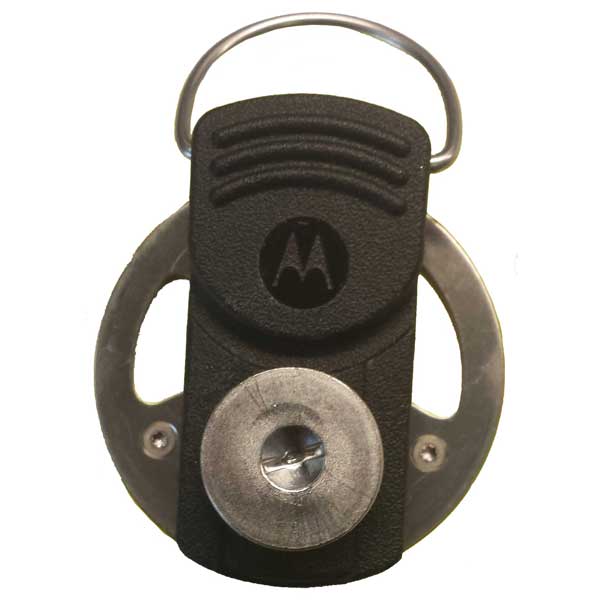
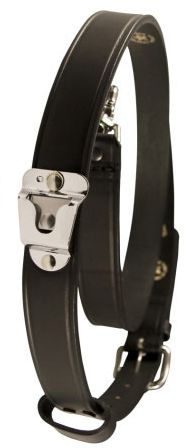
NNTN8271 Mic AdapterMotorola Solutions recently introduced an adapter for remote microphones and Boston Leather fireman straps with clips. Designed for Motorola APX Series P25 public-safety two-way radios, the adapter assembly works with NNTN8575 XE remote microphones . This accessory has a ring loop attached to the top of the clip for hanging on hooks or the antenna.

You will need the NNTN8271 adapter that replaces the remote microphone clip. Also required is a button clip that snaps to the adapter. Motorola sells the buttons in packs of five (NNTN8749) but we will provide them in a single pack too (MAG-NNTN8749).6542-1 Radio Strap with Mic Clip

The Boston Leather 6542 straps with microphone clips are popular with firefighters and ems personnel. The clip provides a more secure attachment for the larger microphones. They are available in extra-large (6542XL) for tall individuals over 74 inches and  also with reflective safety tape (6542R).

Magnum AVL GPS Tracking Video Training Library

Magnum AVL GPS Fleet Management

Our new Magnum AVL Enhanced GPS Fleet and Asset Tracking provides 60 second updating at $19.95 per month. Upgraded GPS devices use the Verizon nationwide network and provide more data to manage your fleet. Our web based user interface includes new features and powerful reports. This article contains videos to learn how to use Magnum AVL.

Links To Magnum AVL Training Videos

Magnum AVL User Interface Help Videos

Fleet Management Wb Interface

After logging in to Magnum AVL fleet management, the interface shows the list of vehicles and/or assets on the left with the map on the right. There are 5 navigation buttons at the top – Dispatch, Dashboard, Reports, Data/Admin, and Alerts. The links below explain each section in detail.

Magnum AVL device pricing and all of our service plans are available for purchase at our online store. We also can help answer question or provide a demonstration by calling our Dover, Delaware office at 302-734-9250 weekdays 8-5pm EST.

How To Choose a 3M Peltor COMTAC Tactical Headset For Military and SWAT Teams

Answer These 5 Questions to Select the Correct Headset

Communications for High Noise AreasSelecting the correct COMTAC tactical headset for your police SWAT team or military unit can be confusing. There are hundreds of choices and it can take a long time to research them. In order to make the right decision faster 3M Peltor developed a list of questions to guide you to the correct model.
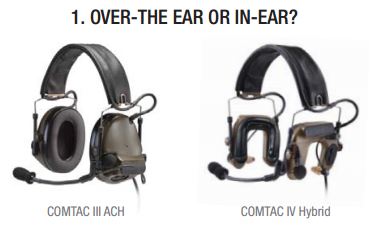
Question 1:  Cover Your Ears or Select Hybrid that Uses Earplugs?Over the Ear or Earplug

Tactical electronic headsets that provide situational awareness have small microphones mounted on the earcups that instantly block harmful noise. The COMTAC III has the traditional earcups but now 3M offers the COMTAC IV with earplugs that provide additional comfort in hot environments. Both are designed to fit under a ballistic helmet.
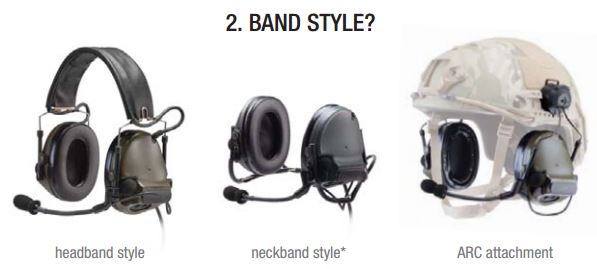
Question 2: Band Style – How Will You Wear it? Headband, Neckband, and ARC

The COMTAC III is available in three different styles. The most popular is the headband, over-the-head style. Headband style is foldable when not in use and has been preferred by most military and law enforcement teams.

If you prefer to wear your headset behind-the-head, 3M provides a neckband version. *Neckband is only available with COMTAC III.

3M recently introduced a third configuration – COMTAC III ARC. Designed for the Ops-Core FAST Helmet, the mounting mechanism clips to the Accessory Rail Connector.

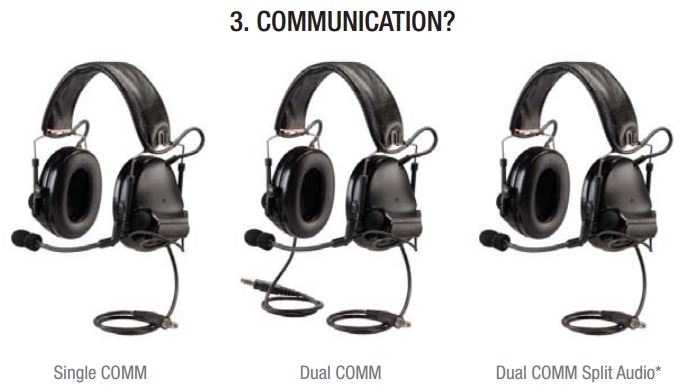
Question 3: Radio Communications? More than One?Single, Dual, or Split Audio Communications

Depending on your mission and the need for interoperability, COMTAC headsets can connect to one or two different 2-way radios. Single COMM terminates in a NATO wired U/174 quick-disconnect plug designed for the appropriate radio adapter needed. One two-way radio is supported.

If your agency or mission requires interoperability with teams using different two-way radios, a Dual COMM headset will allow you to connect two different radios to your headset.  Each COMTAC headset earcup will have a short cord with NATO wired U/174 plugs. Two adapters are required and you can talk on either or both radios using either PTT button.

A Dual COMM with split audio is also available for special military applications using a dual PTT adapter.

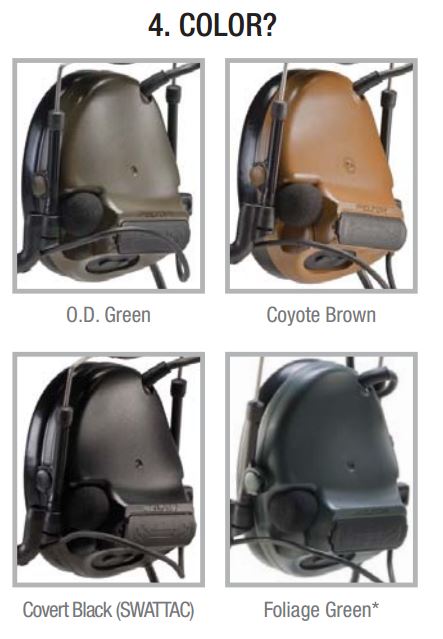
Question 4: Choose Available Color?OD green, coyote brown, black, foliage green Headsets

Most COMTAC III headsets are available in four different colors. The last two letters of the model number indicate the headset color.

SV indicates black and is the only difference between a COMTAC and a SWAT-TAC.

CY indicates coyote brown, GN is O.D. or olive drab green, and FG is a lighter foliage green. Foliage green is not available with COMTAC IV.

Depending on the model, some colors are special order.

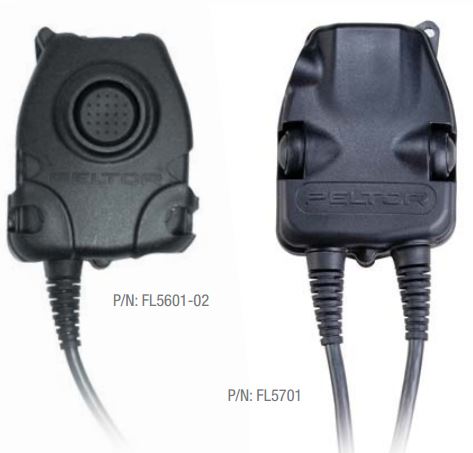
Question 5: What Radio or Intercom Are You Connecting?FL5000-02 Series With NATO Wiring

To choose the correct adapter you need to know the radio manufacturer (Motorola, Kenwood, Harris) and the specific model ( APX 6000, XTS 5000, etc).

COMTAC headsets are only compatible with NATO wired adapters. The specific model number should have “-02” end the end (i.e. FL5063-02). It is not possible to modify the adapter if it is wrong.

Visit our 3M Peltor headset store for the best selection of 2-way radio hearing protection accessories. We also have all of the 3M NATO adapters online for easy ordering. Contact us if you need help by using the the form below.

← Back

Thank you for your response. ✨


Compare Motorola MOTOTRBO Radio Features By Model and Tier

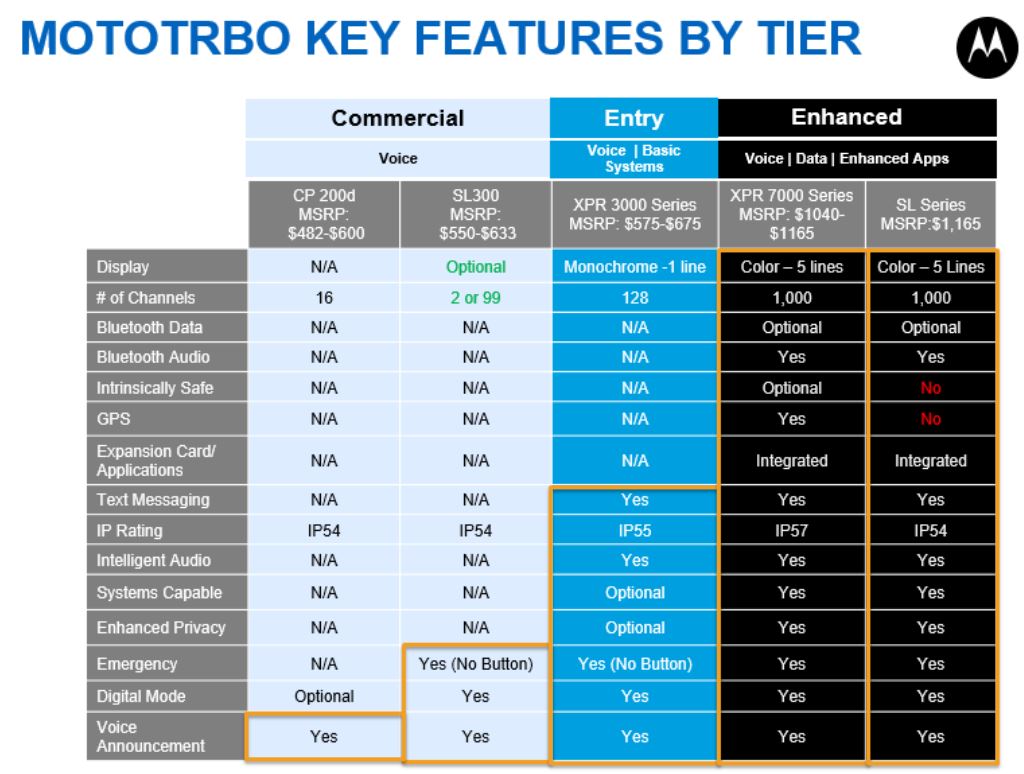
Selecting the right MOTOTRBO DMR portable radio can be confusing with the additional model choices released in the past 18 months. The XPR 6000 platform has been discontinued and now there are five major model choices within 3 feature tiers.

Choose Commercial, Entry, or The Enhanced MOTOTRBO Feature Tier

Motorola DMR Radio Features Chart

MOTOTRBO Commercial Tier for Basic Voice Communication

If all you need is conventional voice communications with or without a repeater, the Commercial tier offers the lowest cost choices. The non-display CP200d uses the same batteries, chargers, and carrying cases as the CP200. A new choice in the Commercial tier is the SL300. It is thinner and has an optional display. MSRP ranges from $482 up to $633 per radio.

MOTOTRBO Entry Tier Includes XPR 3000 Series

The Entry tier XPR 3000 is for users who need a more rugged (IP55) radio that is capable of up to 128 channels. It offers text messaging capability and can be used on a trunking system (Capacity Plus). MSRP ranges from $575 to $675 per radio package.

Full Featured Enhanced Tier Includes Color Displays for Data Integration

The XPR 7000 series is the recommended replacement for the XPR 6350 and XPR 6550. It can be ordered with an intrinsically-safe certification, color display, and Bluetooth data. The IP57 submersible rating makes it the best choice for use outdoors and near the water. At this time the XPR 7580 does not support Smartnet operation so the XPR 6580 will be available for awhile.

The SL 7000 is not much bigger than a smartphone and can fit in your pocket. The color display, short antenna, and Micro-USB charger are features designed for hospitality, security and the service industries. Enhanced tier MSRP prices range from $1,040 up to $1,165.

Rules for Ordering Mobile Computer Docks; Do I need RF Pass-Thru?

Determine If your Computer Has Any RF Antenna Connectors

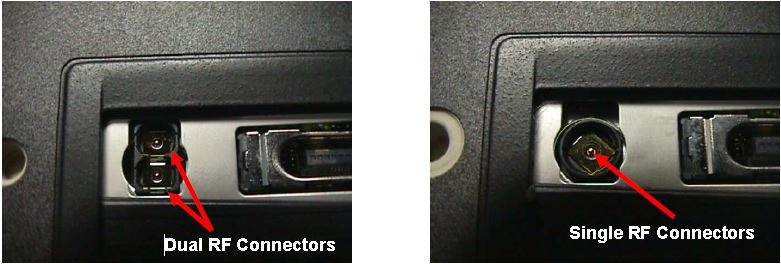
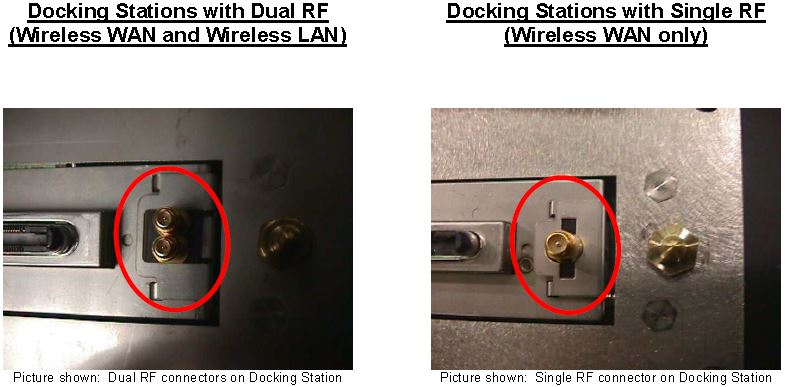
Most rugged mobile computers can be ordered with 0, 1, or 2 external RF connectors. A single connector is used for cellular WAN such as Verizon, AT&T, or Sprint and the second is used for WLAN (WiFi) external antennas. The first step is to determine how many antenna ports (if any) are on your computer.

The photos below show a Panasonic CF-18 with one and two RF connectors:

Computers with RF Pass-Thru

If your computer does not have RF connectors, it will only work in a docking station that has no RF pass-through capability.

If Computer Has RF Pass-Thru Follow These Rules For Dock Purchases

Docks with Single and Dual RF Pass Thru

If your computer has RF capabilities you can use a docking station that has:

a) has no RF pass-through or

b) you must match the RF capabilities (Single or Dual) with the RF pass-through on the docking station (Single or Dual).

For example:

  • If you have a single RF computer, you can order a docking station with single RF pass-through or non-RF pass-through
  • If you have a dual RF computer, you can order a docking station with dual RF pass-through or non-RF pass-through

For more information on Panasonic, Gamber Johnson, or Havis docks call our office at 302-734-9250 M-F 8-5:00pm EST or use the form below.

← Back

Thank you for your response. ✨

Light Indicators and How to Pair a Firecom Wireless Headset

Firecom Wireless Headset LED Indicator and Audio Beep MeaningsFirecom Wireless Indicator Lights

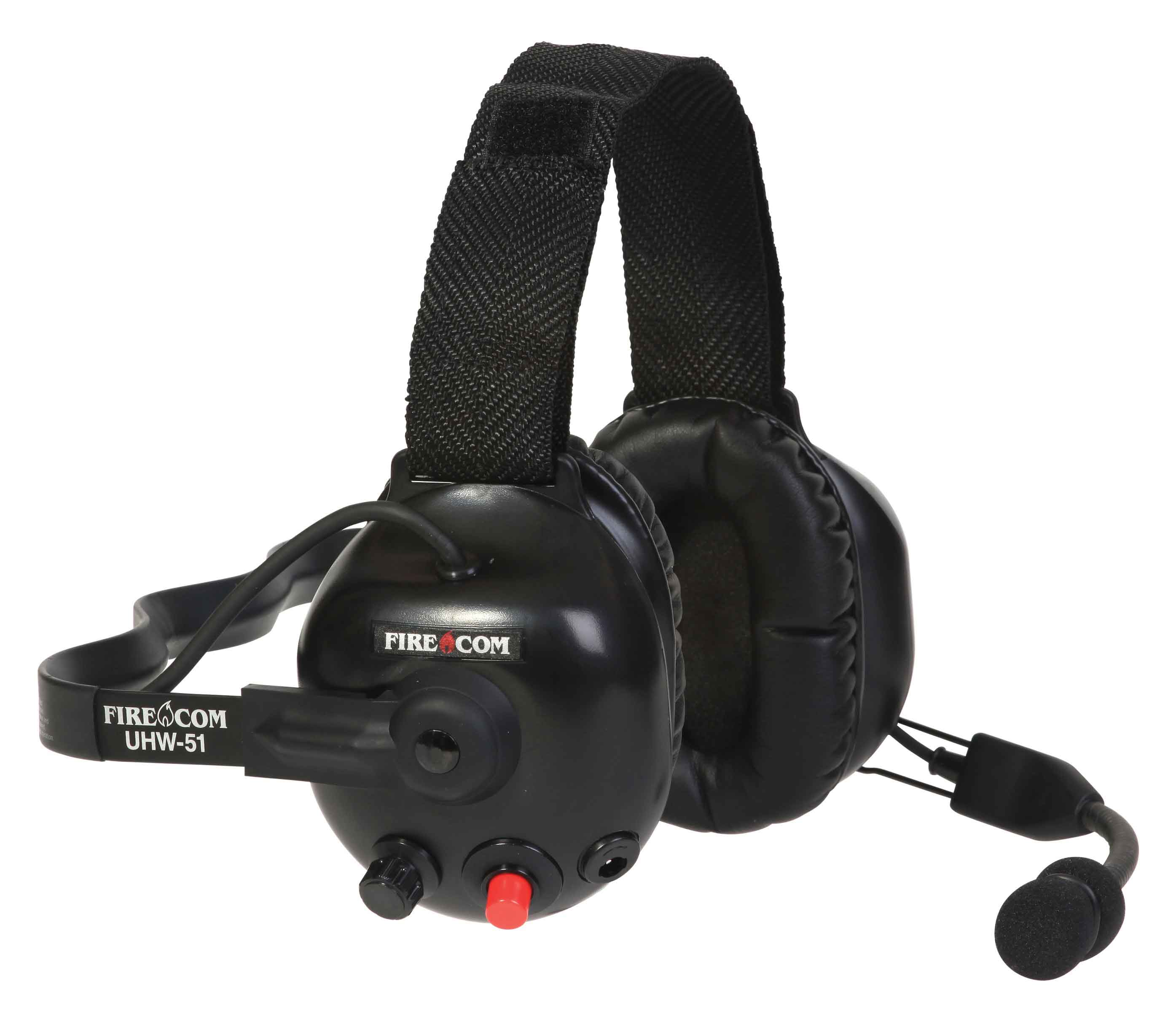
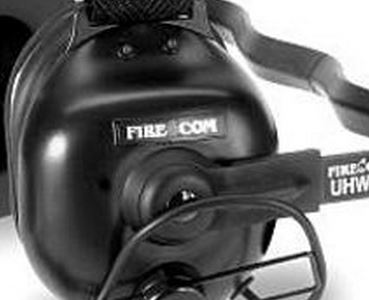
Firecom wireless headsets have one green and and one red LED indicator light on the top left ear dome (microphone side). The lights and audio beeps provide the user a quick indication if the headset is connected and the battery is charged.

Indicator Lights When Connected to Charger Cable

When the charger is plugged into the powered OFF headset it will show RED when charging and GREEN when fully charged. Charging takes 2 hours and will provide about 10 hours of normal operation.

When powered ON and charging, the light meanings are:

  • GREEN ON, RED ON: Charging, headset linked to base
  • GREEN ON, RED OFF: Charge complete, headset linked to base
  • GREEN Flashing, RED ON: Charging, headset not linked
  • GREEN Flashing, Red OFF: Charge complete, headset not linked

Indicator Lights When Charging Cable is Unplugged

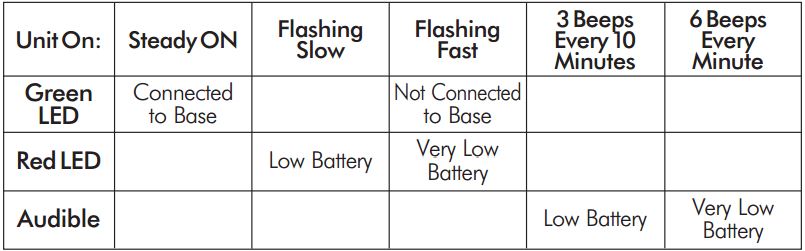
Below is a chart that shows what the light and beeps mean when the headset is powered ON and the charger disconnected:

Wireless Headset Indicator Light  ChartFirecom Wireless Headset Pairing Procedure & Video

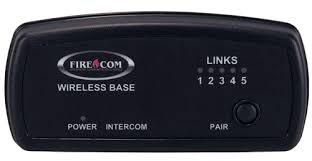
Firecom Wireless BasePress and hold the pairing button on the base for approximately 6 seconds until the yellow LED(s) on the base station start flashing, indicating pairing mode. When placed in pairing mode, you have about 15 seconds to place the headset in pairing mode.

Firecom Wireless UHW-51 Press and hold the PTT button, turn on power to the headset. After approximately 5 seconds, the green and red LEDs on the outside of the left ear dome will start flashing in a relatively fast alternating pattern. Release the PTT button.

Monitor the headset lights. After about 6 seconds, the flashing pattern ends, the green LED will flash for two seconds and then the green and red LEDs will indicate the headset is paired and linked to the base. The LINK LED on the base will illuminate steadily after flashing rapidly for two seconds to indicate that a link to the headset has been established.