Our blog with new updates moved to our new platform. Old posts going back to 2012 remain on this site until no longer relevant.
Magnum Electronics Blog, News Updates, & Tech Tips Transition to a New Platform
Reply
Our blog with new updates moved to our new platform. Old posts going back to 2012 remain on this site until no longer relevant.
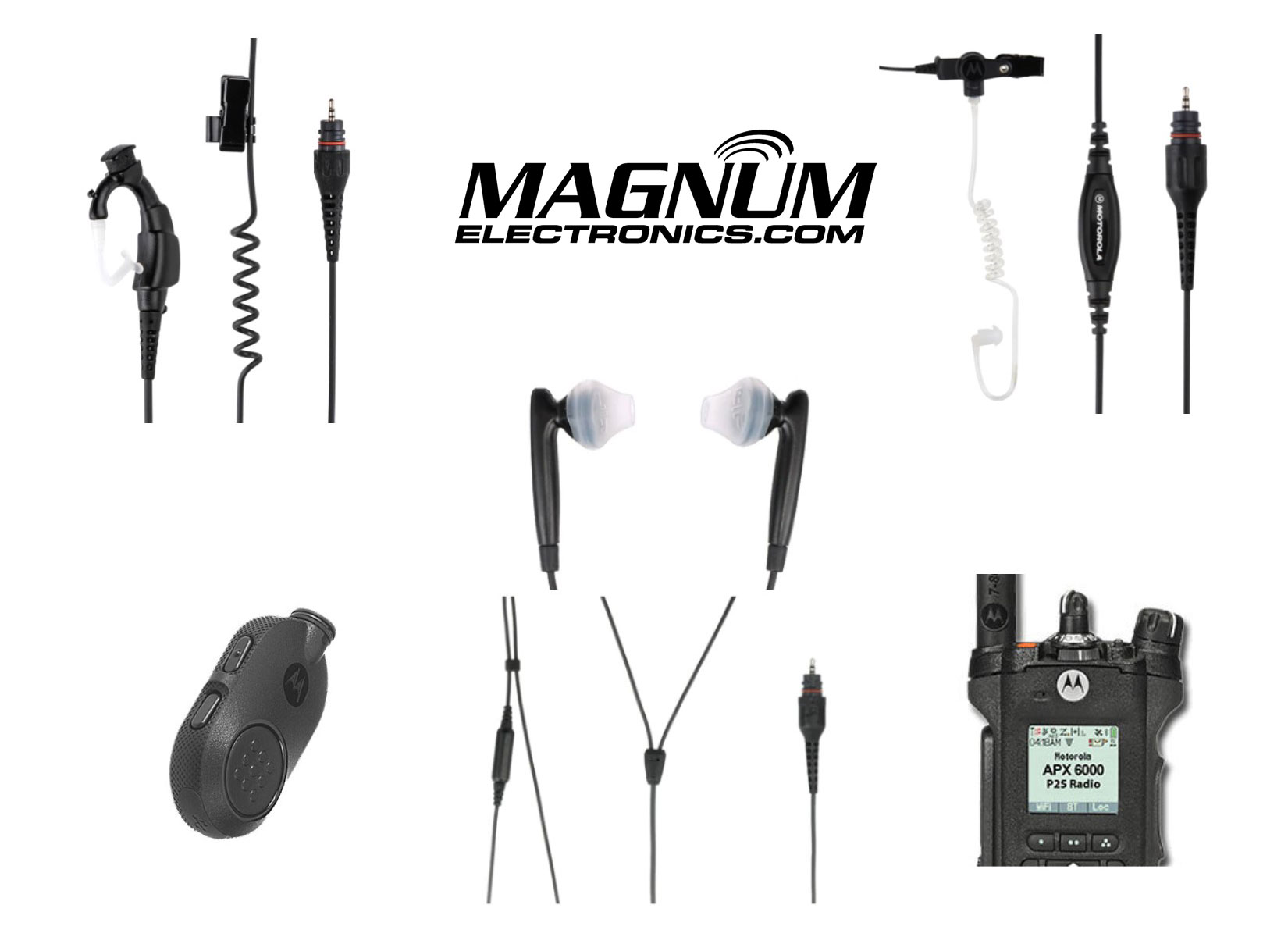
This bundle is designed for first responders with Motorola APX and SRX 2200’s looking for wireless earpiece accessories. Law enforcement, police, military, and security personnel who want to eliminate wires will benefit from this promotion.
Our MCW23 bundle includes the NTN2571 PTT pod with micro-USB charger, NTN2572 CommPort style earpiece with 12 inch cable, PMLN7052 earpiece with quick-disconnect acoustic tube, and NNTN8298 covert dual earbuds with in-line mic. If you are looking for the popular NTN2570 wireless kit, our bundle provides the same product combination (NTN2571 & NTN2572).
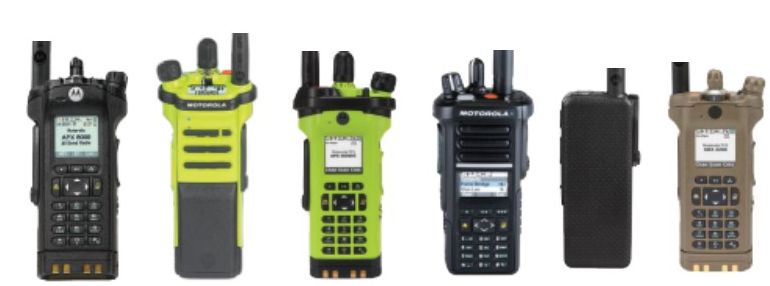
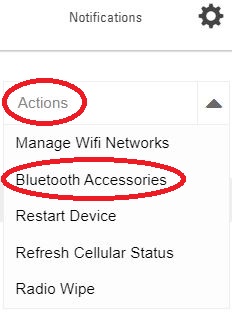
Compatible with Motorola APX 8000, APX 8000XE, APX 7000, APX 7000XE, APX 6000, APX 6000XE, APX 4000, APX 3000, and SRX 2200. The radios require Mission Critical Wireless (MCW) Bluetooth enabled. Check for the icon in the display and if there is an ON/OFF button assigned.

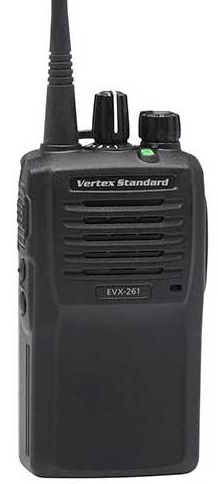 Motorola Solutions announced the cancellation of the Vertex EVX-261 DMR digital radio and no orders will not be accepted after 10/31/2020. The result will be EVX-261 users will not be able to add a digital radio with compatible batteries, chargers, audio accessories, antennas, or belt clips. It may be a good time to refresh your radio communications and take advantage of the technology improvements.
The recommended replacement is a new MOTOTRBO offering in the commercial products product tier. The new CP100d uses the same batteries and charger as the CP185 analog-only radio. CP185 users now have an easy path to upgrade to digital communications.
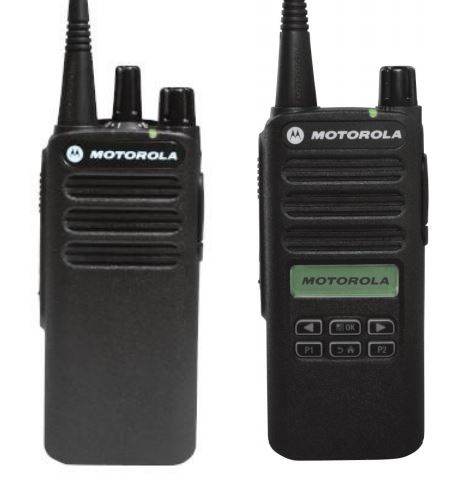 The CP100d uses the popular 2-pin audio connector that is used with the CP200d, CP185, and BPR40. The radio will have improved battery life and there is an option to add a display.
The non-display radio has 16 channel capability and the display can handle a maximum of 160 frequencies. For more info download the CP100d Data Sheet.
If you would like to discuss radio communications for your facility, feel free to call our Dover, Delaware office at 302-734-9250 during normal business hours or use the form below.

The popular JPS NXU-2A network extension unit has been improved and will begin shipping next month as the NXU-2B. It uses the same cabinet and is fully functional in systems with the older NXU-2A. The new model no longer uses potentiometers so level setting can be accomplished remotely using a browser. This eliminates a costly service call to the transmitter site.
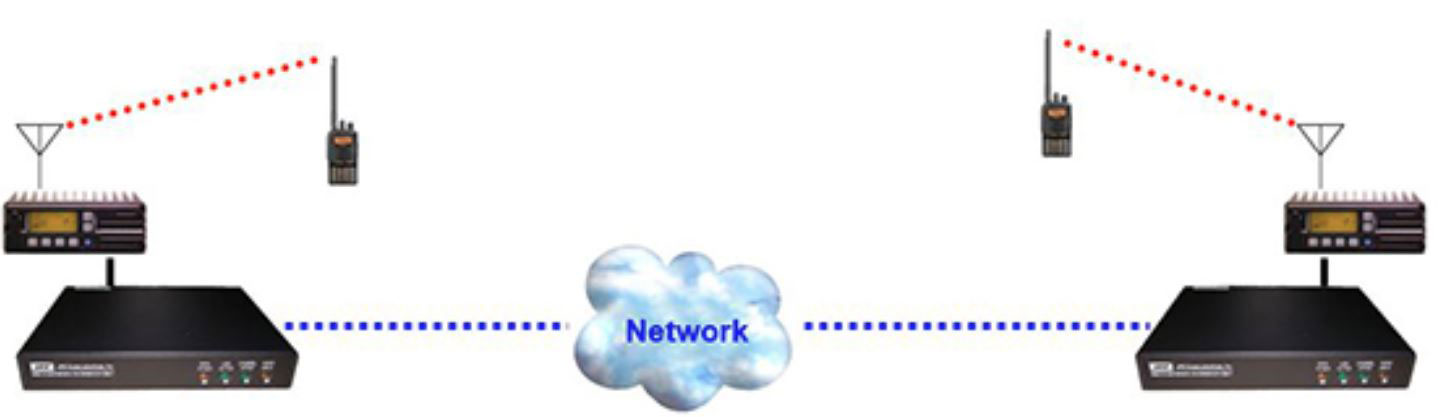
Another big change is the 15-pin audio interface connector has been redesigned to allow any of the standard JPS radio cables to be connected directly to the unit. The NXU-2A required the included crossover adapter to work but half the time it was left in the box.
In addition to solid state keying, the NXU-2B will have a PTT relay and the ability to interface to transmitters via 600 ohm balanced audio.
Below is a video showing the capabilities of the NXU network extension unit.
Magnum Electronics has been an authorized JPS Interoperability reseller since 2005 and support the entire JPS product line. Contact us at our Dover, Delaware office during normal business hours. The phone number is (302) 734-9250 or use the form below.
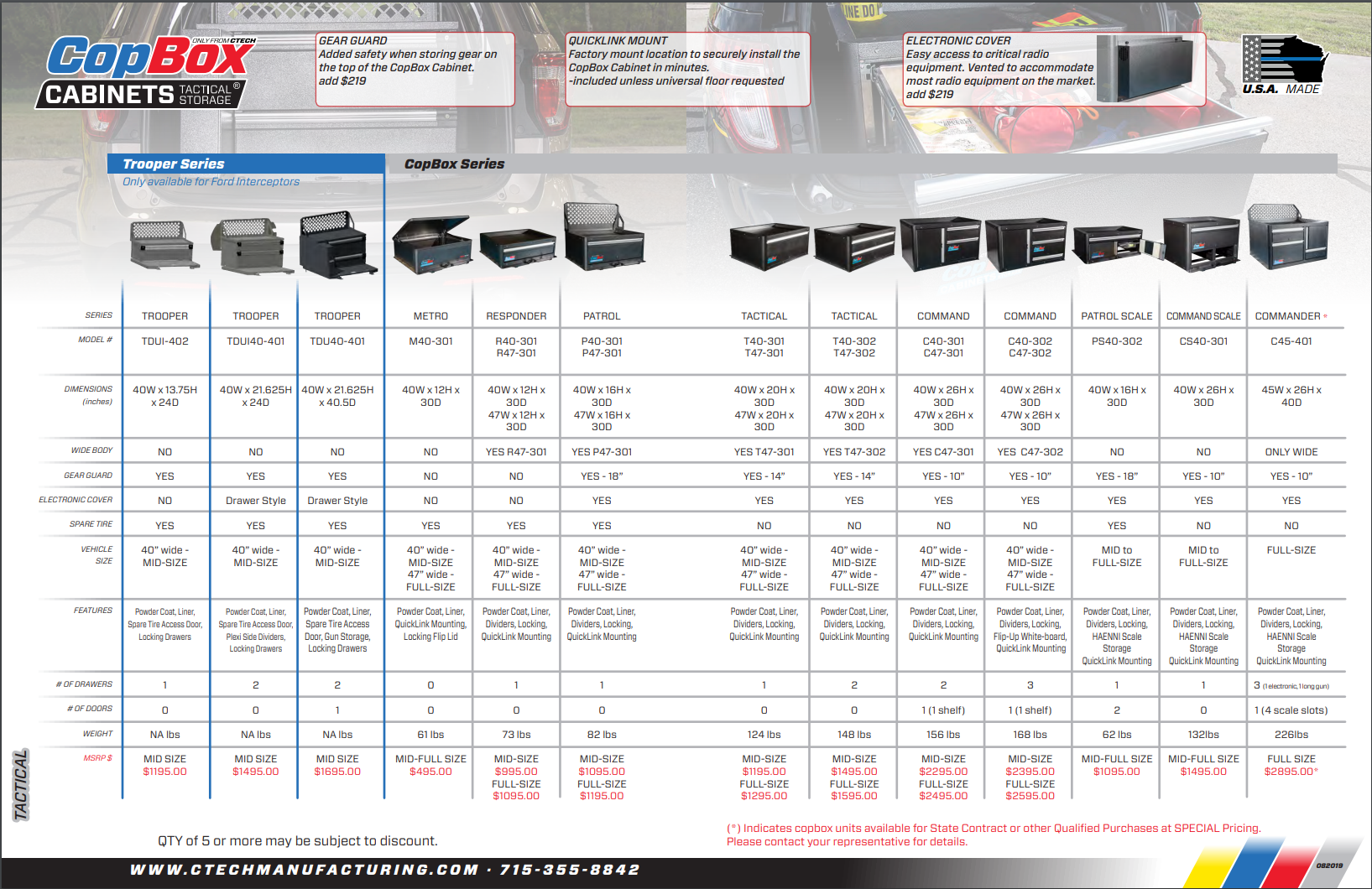
 CTech Manufacturing recently added more options to their suite of of lightweight aluminum tactical storage cabinets for public-safety vehicles. The new Trooper series models are specifically designed for mid-size Ford Interceptors and have one or two drawers. CTech’s popular CopBox and ChiefBox (red powdercoat) models are available with several different sizes.
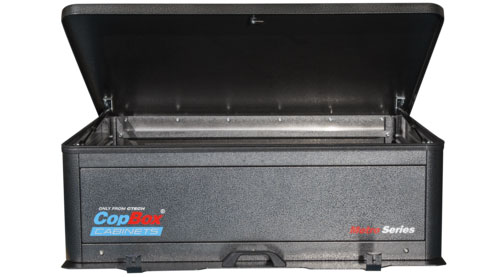 The M40-301 Metro CopBox is a “one-size-fits-all” and available for immediate shipment. The locking flip lid opens to a secure wide open space for flexible storage needs. The cabinet is 12 inches high and does not block the view out of the rear of the vehicle.
The cabinets can be removed and transferred to the next model vehicle making them a good investment. And…recent manufacturing improvements and strong sales have resulted in big price reductions. Click on the chart below to zoom.
 As a CTech authorized dealer we can also provide carts, fixed cabinets, and tool drawers too. Contact our Dover, Delaware office to discuss the best storage solution for you. Our phone number is 302-734-9250 (M-F 8-5pm EST) or use the form below.
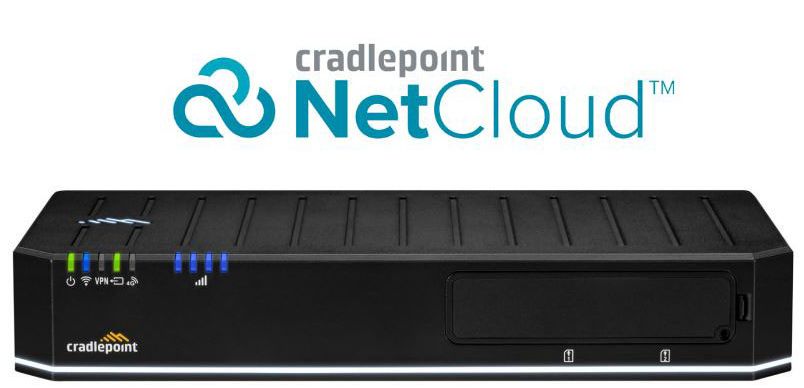
The new E300 LTE router is purpose-built hardware bundled with NetCloud
Enterprise Branch Essentials (or Advanced Feature version) designed for quick deployments for temporary locations, branches, stores, restaurants, and construction sites. It is 5G Ready and compatible with Cradlepoint’s W-Series wideband adapters.
The E300 offers full-featured routing, security, and Wi-Fi for primary and failover connectivity in a compact housing. The hardware is compatible with Verizon, AT&T, T-Mobile and other major carriers. Cradlepoint packages are an all-in-one wireless networking service service solution including technical support, hardware, and software services. Subscription terms can be purchased for one, three, or five years.
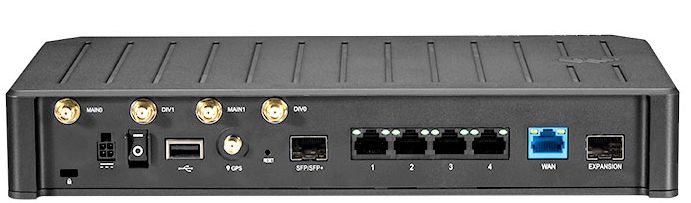
The E300 with the 1200 Mbps modem option will support a branch location with heavy traffic. The BF05-0300C18B-GN includes the E300 router, embedded 4G LTE 1200 Mbps modem, NetCloud Essentials, software, and warranty support for 5 years. It has a built-in 802.11ax Wi-Fi 6 Access Point, supports Multiple SSIDs, and has a 4-port Gigabit L2/L3 Switch. The E300 also supports a second MC400 modem slot that can be added in the future. Cradlepoint phone support is 24 hours on weekdays with emergency responses on weekends.
If you don’t need Gigabit-Class connectivity, the E300 can be ordered with a 150 Mbps Cat 4 modem (BF05-0300C4D-NN) at a significant savings,
Download Cradlepoint E300 Data Sheet .pdf
Magnum Electronics is a Premier Cradlepoint Partner with advanced technical and sales certifications. If you need help with your branch, fleet, or IoT connectivity contact our Dover, Delaware office at 302 734-9250 M-F 8-5pm or use the form below.
 In response to the coronavirus (COVID-19) pandemic, Motorola Solutions is providing recommended cleaning and disinfecting guidelines for 2-way radios, body-worn cameras, and accessories based on current and best understanding of radio hygiene.
Per global health authorities, removing germs, dirt and impurities from surfaces lowers the risk of spreading infection. Using chemical disinfectants may kill germs that remain on surfaces after cleaning, which further lowers the risk of spreading infection.
Do not use bleach, solvents or cleaning sprays to cleanse or disinfect your device.
Motorola does not certify the above cleaning will remove COVID-19 or other foreign substances, however, the cleaning methods are approved for their products.
Download the Motorola Cleaning and Disinfecting Bulletin
Information from the WHO website: Getting your workplace ready for COVID-19
Information from the US CDC website: Coronavirus Disease 2019 (COVID-19)
Next generation ComTac VI NIB and SWAT-TAC VI NIB tactical headsets from 3M offer 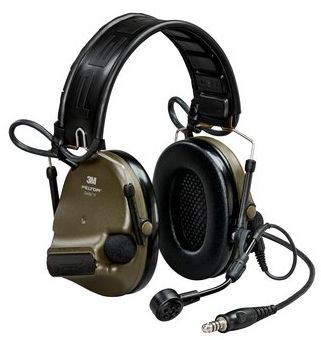 advanced features and improvements that justify the upgrade of your existing hearing protection.
Natural Interaction Behavior or “NIB” is a new feature allowing up to four team members to speak simultaneously (full duplex) within approximately 30 feet of each other and 60 others can listen. It automatically starts when high noise level prevents normal voice communications. The video below illustrates how NIB works.
Past headset users only had the volume control adjustment when the noise level changed. MAP provides five different audio profiles for environmental listening designed for typical missions as defined below:
Advanced VOX (voice operated transmit) is adaptive, meaning the threshold to activate will adjust automatically depending on the noise environment. The ComTac VI also has a button on the left earcup so you can easily switch from VOX to PTT.
The MT73 boom microphone has also been redesigned with improved noise-cancelling technology and IP68 submersibility rating. The new design accommodates both left and right handed shooters without moving the mic to opposite side of the headset. The boom can telescope to adjust its length too.
Download 3M Peltor ComTac VI Spec Sheet. pdf
Magnum Electronics is an authorized 3M Peltor Distributor and supports all headsets including ComTac, SWAT-TAC, LiteCom, and 3M PTT headset adapters for all radio manufactures.
The RSP-Z2 dual-channel gateway from JPS Interoperability Solutions located in Raleigh, NC allows a pair of 2-way radios, IP connections, or a radio and IP connection to be patched together. There are no recurring costs and the RSP-Z2 supports 2/4-wire interfaces, SIP, RTP, and RoIP protocols. JPS offers factory-built cables with connectors for almost every analog and digital radio model ever manufactured.
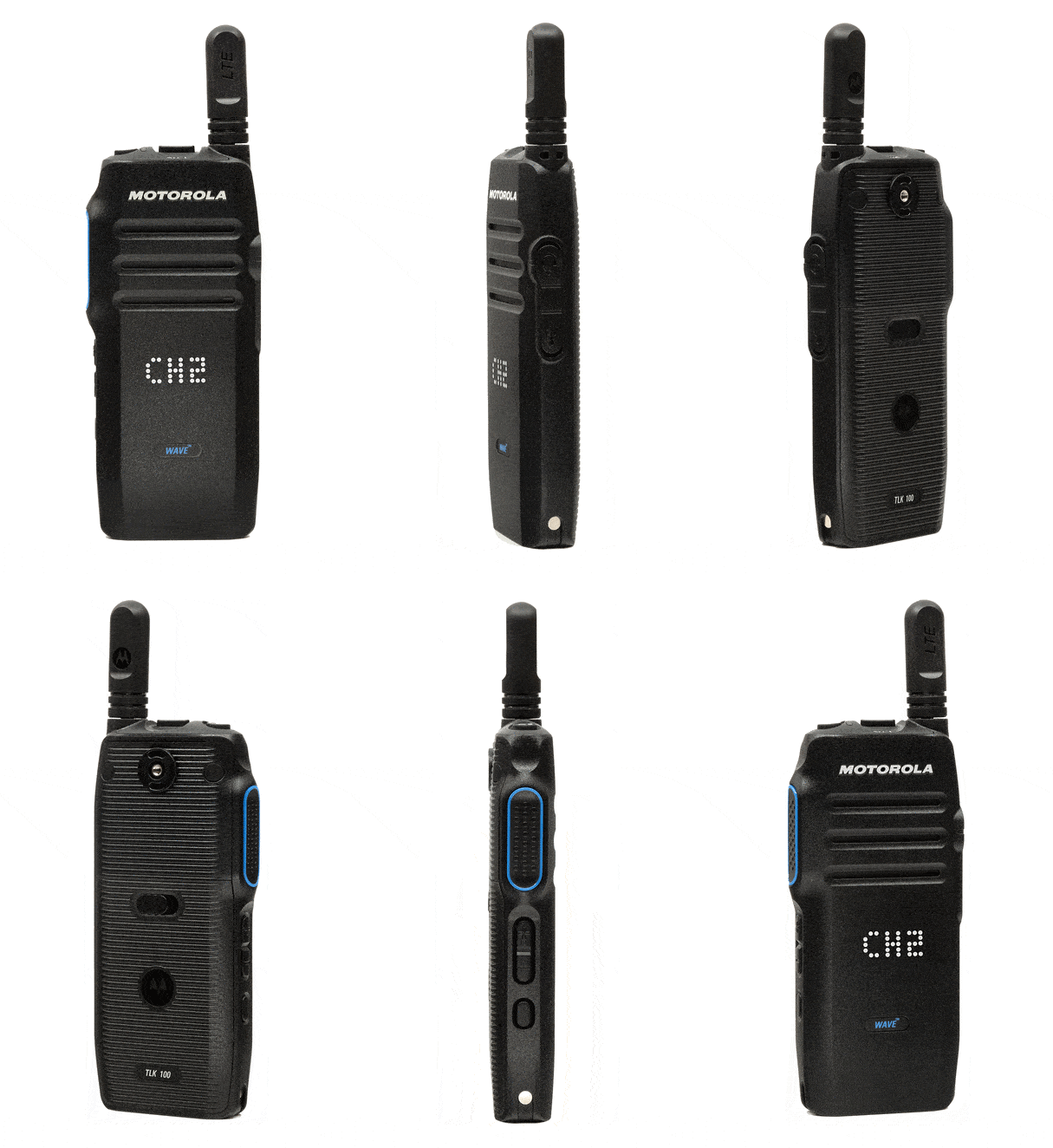 Users with a large number of existing on-site radios can easily interface with Motorola WAVE OnCloud TLK 100 LTE devices that provide nationwide coverage. All you need is the RSP-Z2 and interface cables for the TLK 100 and your on-site radio.
The TLK 100 and your radio would be dedicated and can not be used for dispatch. Interoperability is automatic on the channels selected on each dedicated radio. Coverage for the on-site donor radio would be limited by the antenna system or repeater.
JPS RSP-Z2 Interoperability Gateway Data Sheet
JPS RSPZ2 Installation and Operation Guide
JPS RSPZ2 Field Optimization and Troubleshooting Guide
Visit our website for JPS ACU series interoperability gateways, SNV-12 voters, NXU-2A network extension unit, and interface cables. Magnum Electronics has been an authorized JPS Dealer since 2006 and provides technical support services if needed.