
New South Bowers Fire Rescue Airboat Installation With David Clark Wireless Headsets

South Bowers Fire Rescue Airboat

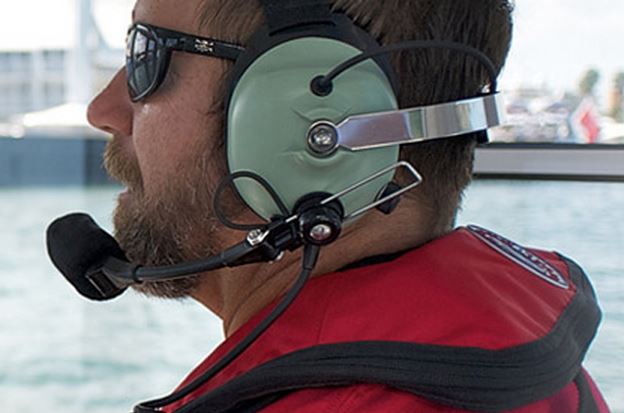
South Bowers Volunteer Fire will now perform emergency rescues in the Kent County salt marshes with a new airboat equipped with David Clark wireless mission-critical communications. The system will provide hands-free, wireless intercom for the crew and will also integrate with the Delaware 800 MHz statewide first-responder system.

David Clark 9900 Wireless Intercom and Motorola APX 7500 Radio Integration
David_Clark_LogoThe new David Clark 9900 Series wireless gateway system is weather tight, rugged, and designed for marine use. It easily integrates with a Motorola APX 7500 700/800/VHF P25 capable radio and will connect to a 3800 wired system if needed.
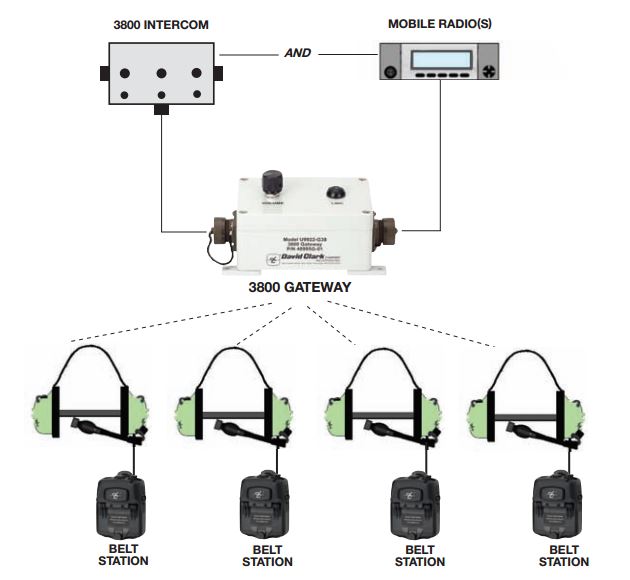
David Clark 3800 Wireless Intercom

Wireless Intercom System Components, Key Features, and InstallationH9940 Headset

The South Bowers David Clark system uses four H9940 dual muff, behind-the-head style headsets each with a 9910-BSW wireless belt station with VOX. This design provides hands-free intercom for the crew and the ability to monitor radio traffic from the boat’s APX 7500 radio. The belt station has a PTT (push-to-talk) switch for transmitting. The U9922-38 wireless gateway acts as a repeater and provides up to 300 ft range using clear DECT based technology.
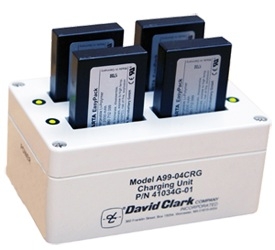
David Clark A99-04CRG ChargerThe belt stations use 40688G-90 rechargeable batteries that are removable and last approximately 24 hours after a full charge. A A99-04CRG 110V AC charger will hold 4 batteries and takes about 3-4 hours when fully depleted. David Clark has several 9900 Series headset styles a full range of accessories, interface cables, and antenna choices. The APX radio uses an 05 control head and motorcycle options for improved outdoor performance.South Bowers Airboat Installation
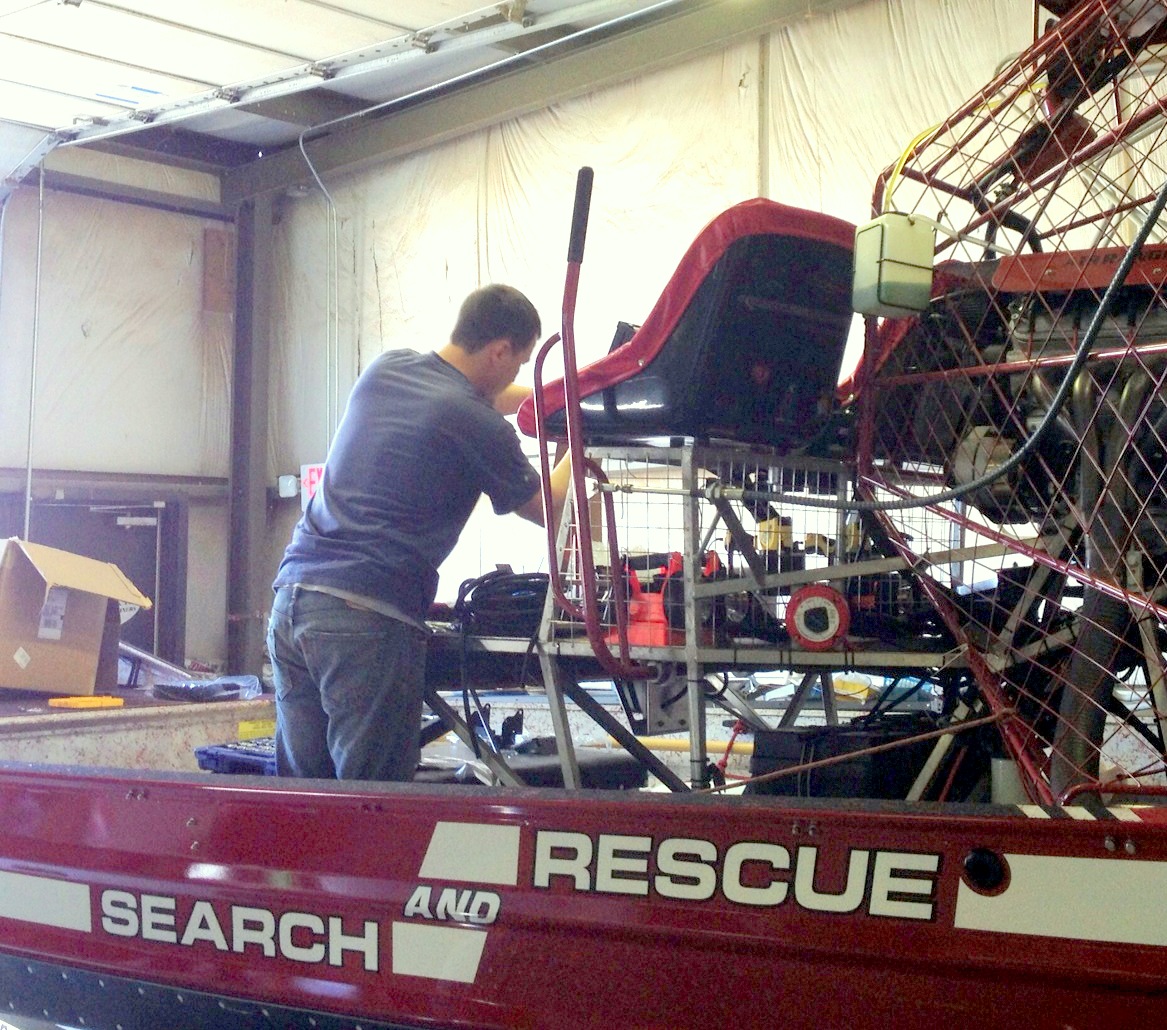
A weatherproof NEMA box was added for better protection and installation was completed at our Dover service facility on Horsepond Road. The David Clark 9900 wireless headset intercom system is an excellent choice for fire/ems, military, and marine applications. Our thanks to South Bowers Station 57 for the opportunity to provide the first David Clark 9900 Series intercom in Delaware.
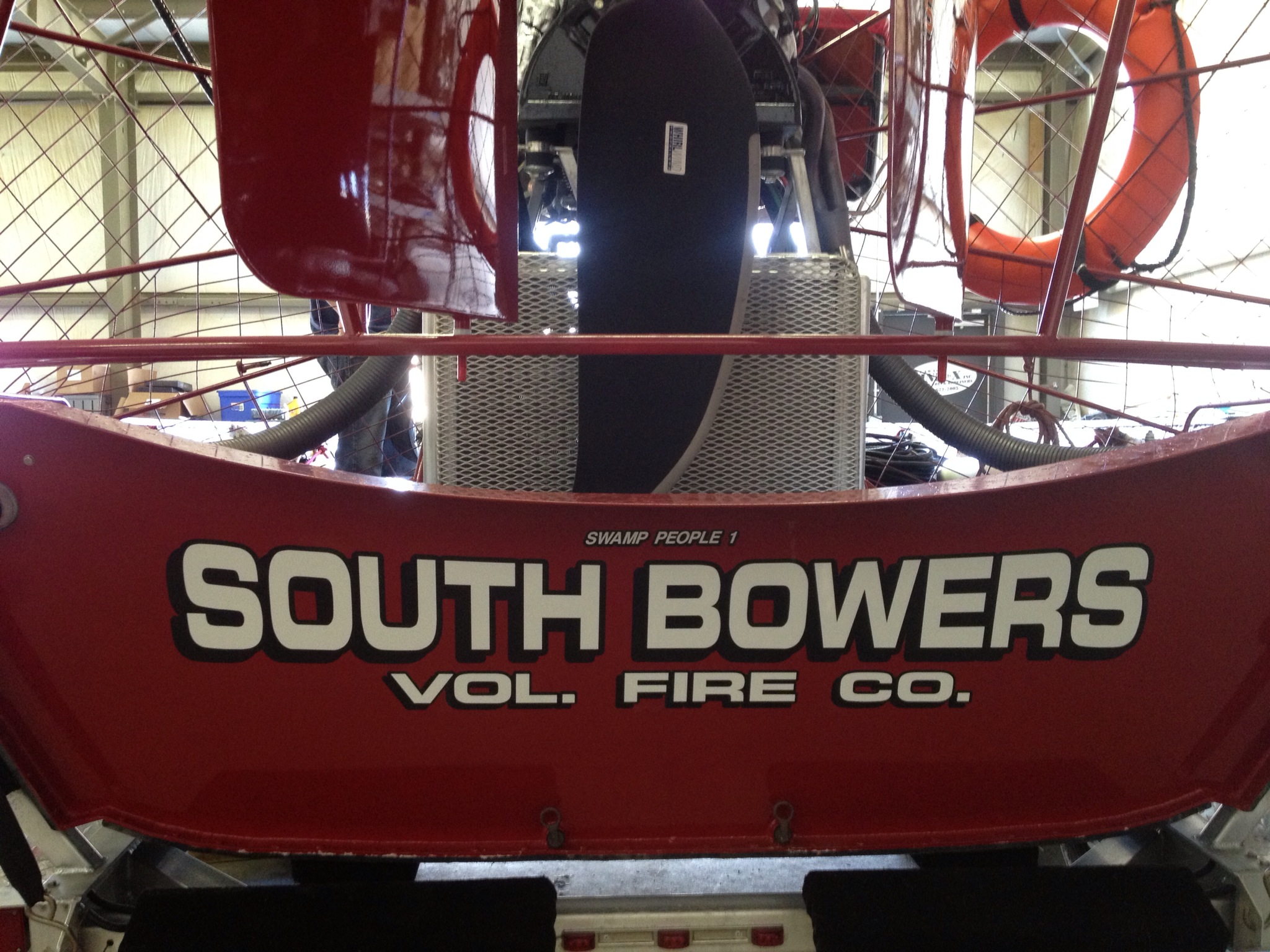
South Bowers Volunteer Fire Delaware Airboat

Motorola IMPRES Battery Tips and Charger Indicator Lights

Proper IMPRES Battery Care Starts With Initialization

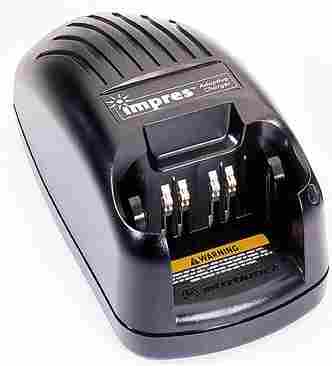
Motorola IMPRES ChargerA Motorola IMPRES battery must be initialized by an IMPRES charger the first time it is charged. This process is indicated by a STEADY YELLOW light on the charger indicator (the same as if the battery were reconditioning). The process is automatic, includes an initial reconditioning of the battery, and begins charging upon completion of this process.

This process requires approximately 12 hours depending on the capacity. Do not remove the battery from the charger until the STEADY GREEN light is on.

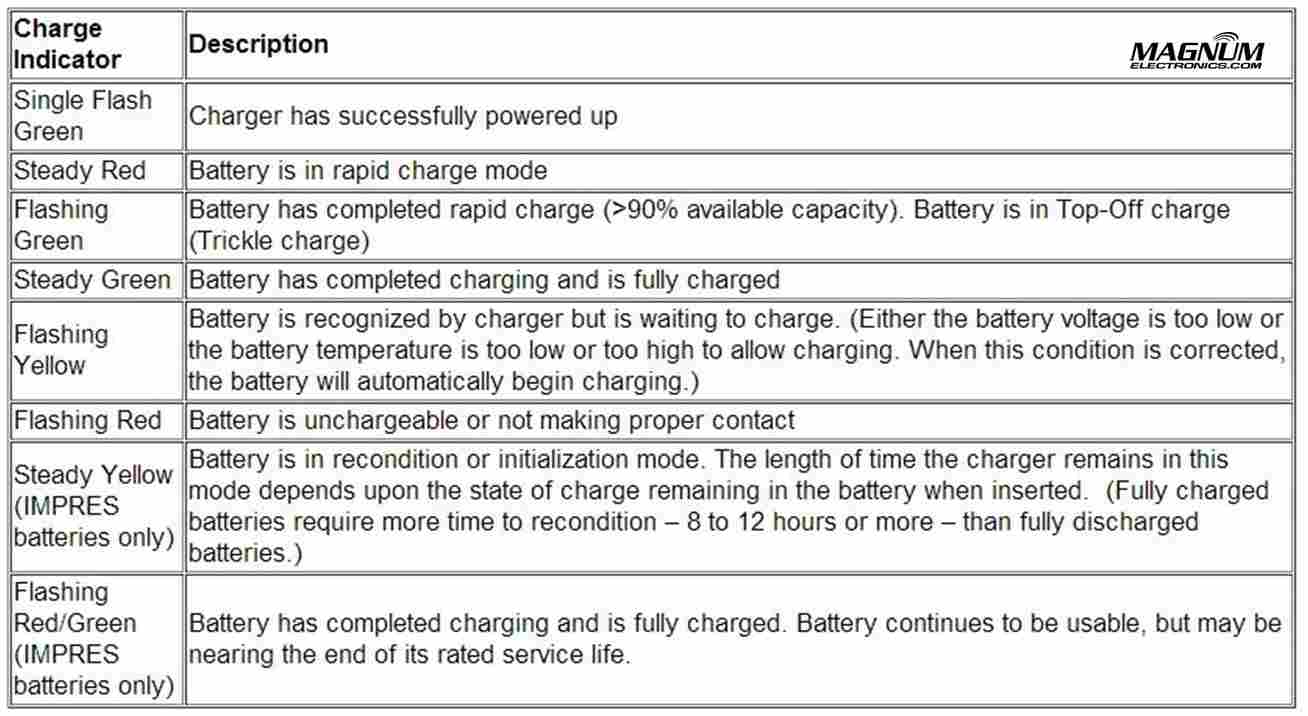
IMPRES Indicator Light Chart with Explanations

Motorola IMPRES Charger Light Indicators

IMPRES Automatic Battery Conditioning

Motorola IMPRES Adaptive Chargers, when used in conjunction with a Motorola IMPRES battery, have the ability to determine the appropriate time to recondition the battery. When an IMPRES battery is properly inserted into the charger, the charger determines if it is appropriate to recondition the battery. If the battery needs reconditioning, the charger automatically indicates a STEADY YELLOW.

This process may take up to 12 hours to complete, depending upon the state of charge and capacity rating of the battery when it is inserted. It is important to note, for this process to be effective, the IMPRES battery must be allowed to complete the recondition/recharge process. Leave the battery in the charger until the charger indicates a STEADY GREEN. At the completion of the recondition cycle, the charger automatically recharges the IMPRES battery.

How to Terminate the IMPRES Conditioning Process

At any time during the reconditioning process of a Motorola IMPRES battery (STEADY YELLOW indication), reconditioning may be terminated by removing and reinserting the battery back into the charger within 5 seconds. This causes the charger to terminate the reconditioning process and begin the charging process. The charger indicator changes to a STEADY RED. The charger will attempt to recondition the battery at the next battery insertion.

Manually Initiating the IMPRES Reconditioning Process

Within 2-1/2 minutes of the initial insertion of an IMPRES battery (STEADY RED indication), remove and reinsert the battery within 5 seconds to manually force reconditioning to occur. The charger indicator changes from a STEADY RED to a STEADY YELLOW. This forces the charger to recondition and automatically recharge the battery. This is a useful feature to have when IMPRES batteries have been in storage for several months or longer. Two or three manual recondition cycles may be required to rejuvenate the batteries, due to long term storage conditions.

How to Choose the Correct Motorola Bluetooth Accessory for your Radio

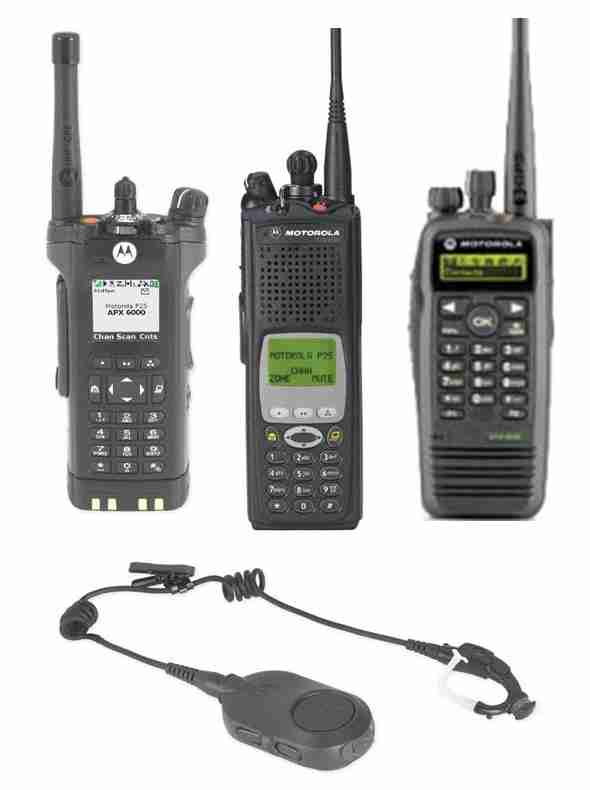
Radios_BluetoothBluetooth accessories are starting to get complicated for Motorola public-safety and professional radio models. There are now three different types of wireless audio accessories: 

  • Mission Critical with encryption and touch pairing
  • Operations Critical Enhanced with touch pairing
  • Operations Critical Standard Bluetooth

Mission Critical Wireless With 128-bit Encryption is Most Secure

For the most secure wireless communications that is extremely difficult to hack, choose the mission critical models. These are only available for APX series with the internal Bluetooth option or the XTS series with the external PMLN5792 Mission Critical wireless adapter. Motorola’s proprietary “out of band” pairing with 128-bit encryption provides the best secure connection and only takes a few seconds. Pairing takes place when the radio and the audio accessory are within an inch of each other. It does not matter which radio you use – pairing is easy and quick.

Mission Critical Wireless Accessories for APX and XTS

If you have an APX 7000, APX6000, or APX 4000, the internal Bluetooth option must be enabled. At this time, Mission Critical Wireless is only available for APX radios although it is rumored standard Bluetooth might be available in the future. It is possible to use an external third party or MOTOTRBO adapter but it would not support the encrypted accessories.

Mission Critical Wireless AdapterThe PMLN5792 external adapter is compatible with the XTS 5000, XTS 2500, XTS 1500, MT1500, and PR1500. Cancelled models including XTS3000, HT1000, MTS2000, etc. will probably work but are not supported.

Following are the mission critical accessories for APX and XTS models:

  • NTN2570 Earpiece with 12 inch cable includes NTN2571 PTT pod
  • NTN2573 Earpiece with 9.5 inch cable includes NTN2571 PTT pod

Wireless Covert KitOptional wireless earbuds (NNTN8294 11.4 inch cable) or (NNTN8295 45.7 inch cable) are available that attach to the NTN2571 PTT pod. For covert surveillance operations, the  NNTN8295 uses ipod type earbuds or any 3.5mm audio accessory.

Enhanced Operations Critical with Touch Pairing

Enhanced Operations Critical provides intrinsically-safe operation with grab-and-go touch pairing. It is only available with the MOTOTRBO XPR 6300, XPR 6350, XPR 6380, XPR 6500, XPR 6550, and XPR 6580 radios. The PMLN5993 external adapter uses the NTN2570 earpiece.

We tried the PMLN5993 adapter with both the APX 4000 and XPR 7550 after getting conflicting answers from Motorola tech support. We tried multiple times with different accessories without success.

Operations Critical Standard Wireless Bluetooth

Standard Bluetooth adapters are available for all XTS, and XPR MOTOTRBO radio models. The RMN5104 allows the XTS 5000, XTS 2500, XTS 1500, MT1500, and PR1500 to use any standard Bluetooth headset. The PMLN5712 adapter is designed for the XPR6100/6300/6500 series. The XPR5350/5550 mobile radio, XPR7350/7550 portable, and the SL7550 have internal Bluetooth included.

Operations Critical Pod

Following are the certified Operations Critical accessories:

Optional wireless earbuds (NNTN8294 11.4 inch cable) or (NNTN8295 45.7 inch cable) are available that attach to the NNTN8127 PTT pod.

Motorola APX Radio Battery Adapters for XTS Chargers

Motorola APX Battery Charger AdaptersMotorola battery charger adapter inserts are available for APX 7000, APX 6000, and APX 4000 P25 radios. The adapters enable you to use your old IMPRES WPLN4111 single and multi-unit charger chargers with new APX models. 
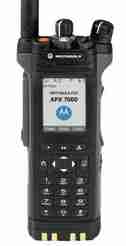
Motorola APX 6000 and APX 7000 Models Motorola APX 7000 Model III

  1. The single unit battery adapter for the WPLN4111 IMPRES charger is the NNTN7687A at a cost of $39 each. Designed to fit the WPLN4111 and WPLN4114 charger base normally used for XTS 5000, XTS 2500, XTS 1500, MTS2000, HT1000, PR1500, MT1500 radios.
  2. The multi-unit charger adapters are sold as a six pack under model number NNTN7686A at a cost of $195 per charger. Compatible chargers include the WPLN4108, WPLN4121, WPLN4181, and WPLN4130.

Motorola APX 4000 ModelsAPX 4000 P25 Radio

  1. The single unit battery adapter for the WPLN4111 IMPRES charger is the NNTN8169A at a cost of $39 each.
  2. The multi-unit charger adapters are sold as a six pack under model number NNTN8170A at a cost of $195 per charger. Compatible chargers also include the WPLN4108, WPLN4121, WPLN4181, and WPLN4130.

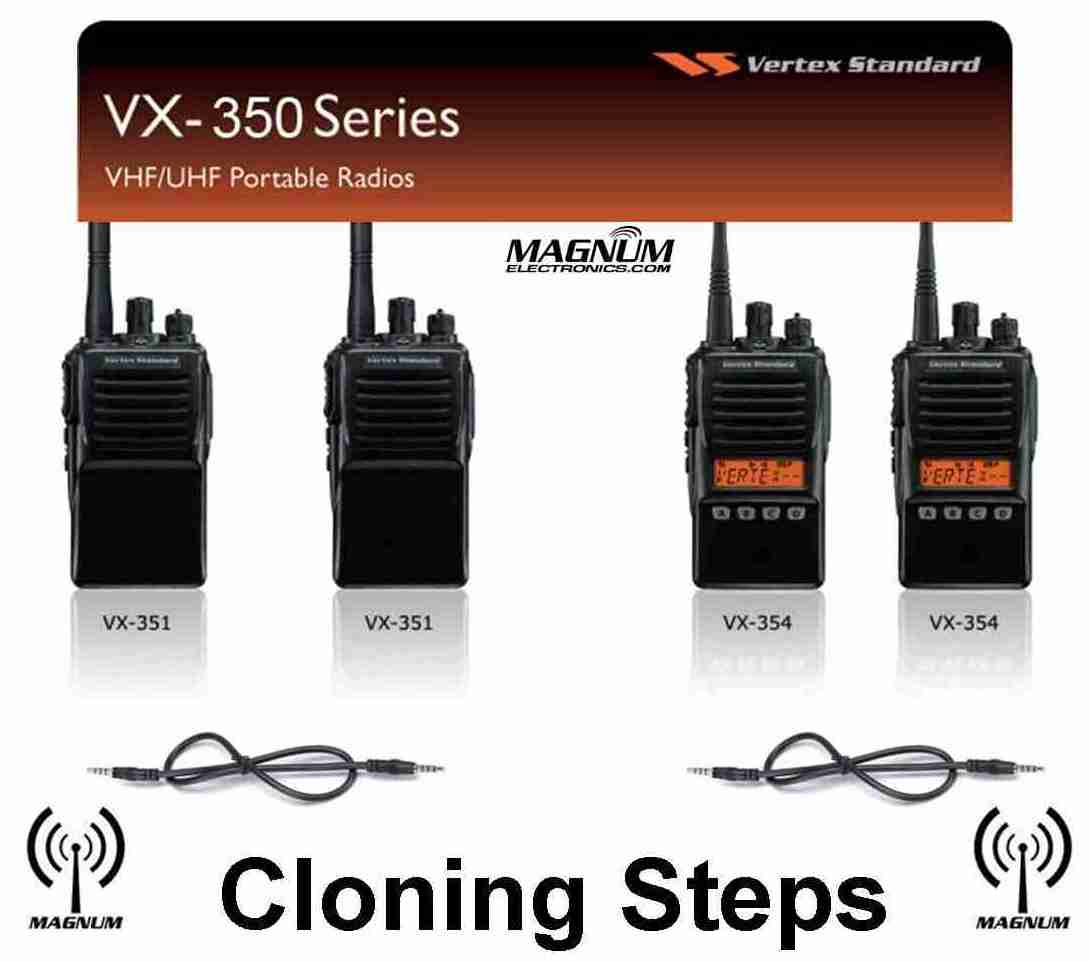
Vertex Standard VX-350 Series Cloning Procedure

Vertex VX-350 Series Cloning Steps

Vertex VX-351 or VX-354 Cloning Requires a CT-27A Radio-to-Radio Cable

Adding a new Vertex Standard VX-351 or VX-354 radios to your existing fleet is a simple process with the built-in cloning feature. All you need is a Vertex XURTS0008 CT-27A cloning cable  to transfer the programming information. A VX-351 will not clone to a VX-354 and all models must be identical using the same VHF or UHF band.

VX-350 Series Cloning is a 6 Step Procedure

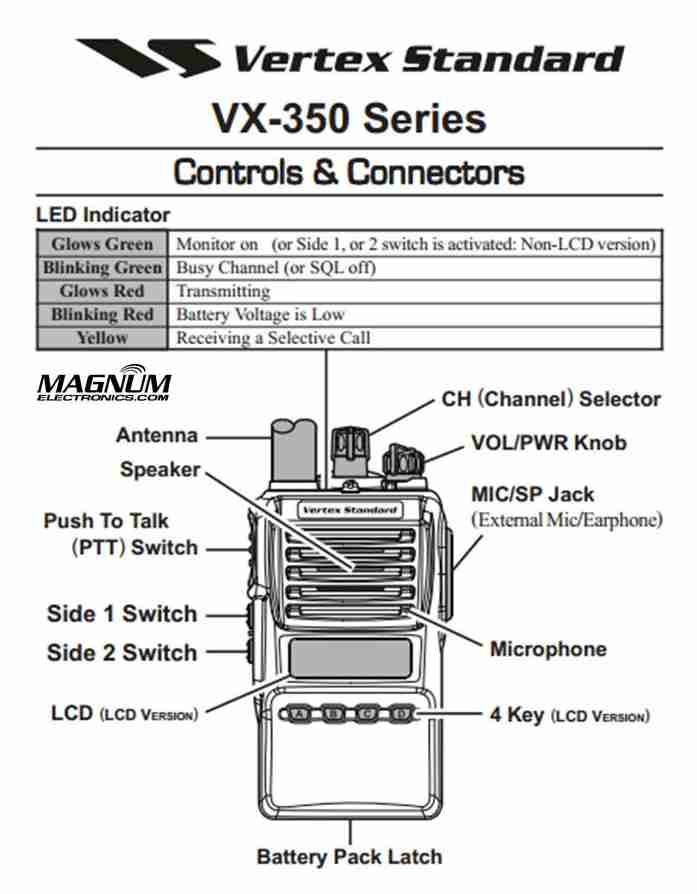
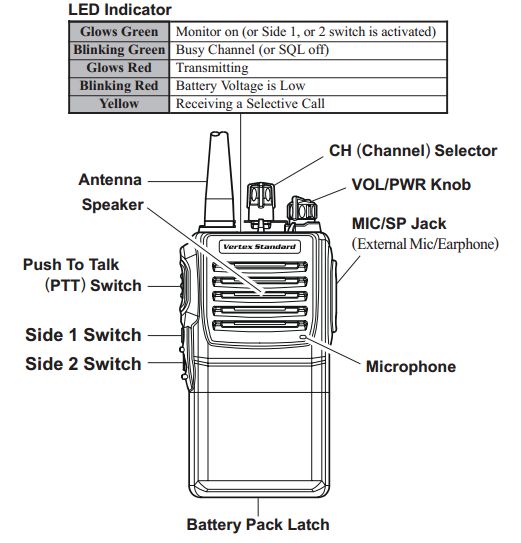
  1. Turn both radios OFFVertex 350 Buttons and Controls
  2. Connect the CT-27 cloning cable between the MIC/SP jacks of the two radios.
  3. Press and hold the “Side 1” key and the “PTT” key while turning the radio ON.  The LED will remain off and if a VX-354, it will display “CLONE”.
  4. Repeat step 3 on the other radio.
  5. To switch the radio to receive data, press the “Side 1” key. Then the LED indicator will glow “Green“.
  6. To switch the radio to transmit data, press the “PTT” key. Then the LED indicator will glow “Red“.

When the data transfer is successful, the VX-354 display will return to “CLONE” or if a VX-351, the TX/BUSY indicator will turn off. You are now ready for the next radio or turn both radios off and disconnect the CT-27 cable. You can then power on the radios and begin normal operation.

Motorola Temple Transducers Provide Discreet Listening

2-Way Radio Headset Keeps Ears Uncovered

Motorola 2-way Radio Temple TransducerTemple transducers are available for most Motorola 2-way radios and are the only audio accessory that keeps your communications discreet without covering your ears. Loud and clear radio transmissions are received using transducers that rest on each temple. The ears are uncovered so you will hear normally when there is no radio traffic. People close by will not hear radio messages keeping your communications private.
Use Temple Transducers in High Noise Environments with Earplugs

Temple transducers can be more comfortable than muff style headsets in hot weather orSpring & Associates Driller when working on loud machinery. Maryland based Spring and Associates performed a comparison on their job site with extreme machinery noise using MOTOTRBO XPR6550  radios. The PMLN5101 temple transducer was preferred except when extreme noise levels approached 130dB.

Choose the Correct Temple Transducer for Your Radio

Motorola offers temple transducers with connectors for most of their radios. The new APX series radios have a direct wire connector and a new boomless model that is compatible with the APX display microphone.

APX 7000, 7000XE, APX 6000, 6000XE, APX 4000 Radio Models

RMN5116 Temple TransducerFor the new APX P25 series, choose the PMLN5101 temple transducer with boom microphone.

The boomless RMN5116 is the correct choice if you use a APX display remote speaker microphone.

XTS 5000, XTS 2500, XTS 1500, PR1500, MT1500 Radio Models

Rugged Temple Transducer

RMN5049

The standard temple transducer with the XTS series connector is the RMN4049. There is also a more rugged version, RMN5049, that includes an adjustable headband keeping it more secure when repelling, jumping, or performing other physical activity. These are also compatible with HT1000, JT1000, MTS2000, MT2000, MTX8000, MTX9000, XTS3000, and XTS3500.

MOTOTRBO XPR 6100, 6350, 6550, 7350, 7550 Radio ModelsMotorola PMLN5101

All Motorola XPR 6000 and 7000 series radios are compatible with the PMLN5101 temple transducer. An oversized PTT and coiled cord is included.

There is no temple transducer available yet for the XPR3300, XPR3500, or SL7550.

Motorola HT750, HT1250, HT1550, PR860 Radio Models

The RMN4048 is the correct temple transducer model if you have a Motorola HT750/1250/1550, PR860, MTX850, MTX8250, MTX950, or MTX9250.

There is a rugged version, RMN5048 with an adjustable headband too. Both have a large PTT body switch.

Motorola EX500, EX560, EX600 Radio Models

The Motorola EX radio compatible temple transducer is the PMLN4585.

Motorola BPR40, CP110, CP185, CP150, CP200, PR400

CP200 Temple TransducerChoose the PMLN5003 boomless lightweight temple transducer with in-line microphone and 2 prong connector. Adjustable for use on long shifts. Not suitable for high noise environments.

Also compatible with P1225, CP125, VL130, CT150, CT250, CT450, GP300.

Motorola DTR410, DTR650, VL50

The RMN5114 is the correct choice. Although it uses a similar sized 2 prong connector like the PMLN5003, they will not fit the jack.

Advantages of New Motorola DMR MOTOTRBO XPR 5550

New Motorola XPR 5000 Series Supports Analog and Digital DMR

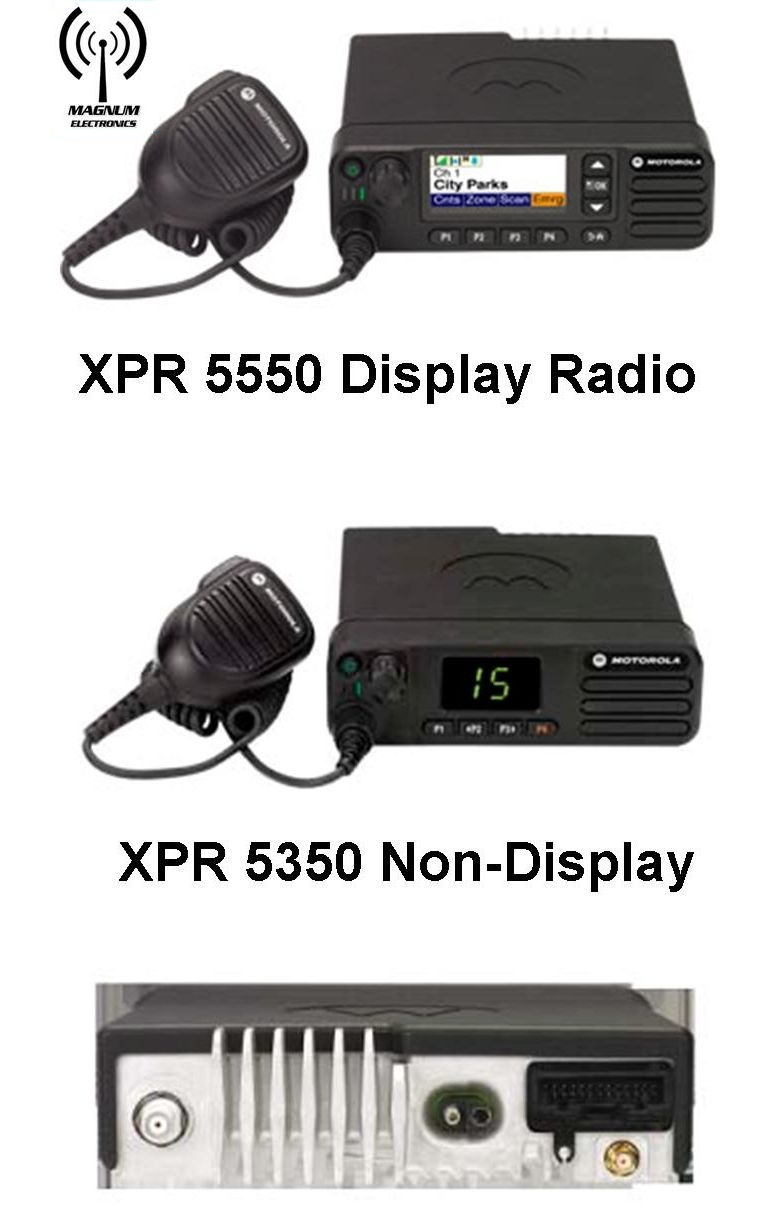
Motorola MOTOTRBO XPR 5350 & XPR 5550 Motorola’s newest base/mobile offering to the MOTOTRBO DMR platform is the XPR 5000 series. Introduced in the VHF and UHF bands, the radios can be programmed with up to 1,000 analog and digital channels providing easier migration and interoperability. 

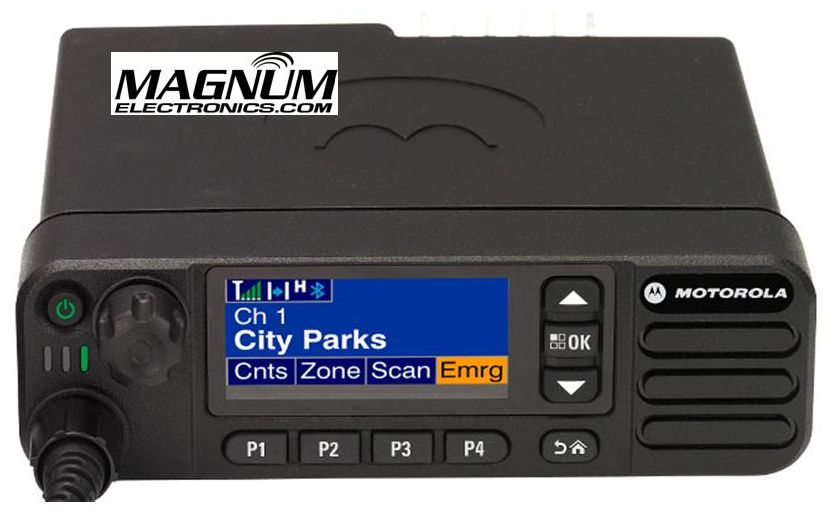
The flagship XPR 5550 includes a color display with day and night modes for easier viewing. The XPR 5350 has a numeric channel display and 32 channel capability.

An internal GPS receiver and text messaging is standard on both models.

New XPR 5000 Series Includes Embedded Wireless Bluetooth for Voice and Data

Workers can monitor and respond to voice radio traffic when not in the vehicle using any standard Bluetooth headset. This can enhance productivity by giving your workforce the ability to stay in touch when away from the mobile radio.

Bluetooth is also an easy way to connect hand-held scanners, bar code readers, and other data collection devices. You will need to purchase the HKVN4088 optional software license at a cost of $50 to enable the data transfer feature. MOTOTRBO already supports many independent software applications that enhance mobile worker productivity.

XPR 5550 5 Line Color Display Provides Day and Night Modes for Easier Viewing

Motorola XPR 55550 Display in Night Mode

Motorola XPR 5550 Display in Night Mode

Text messaging, mobile workforce productivity applications, and large channel lists are easily managed with the XPR 5550 5 line color display. The bright display can be viewed easily in broad daylight or in low light environments with night mode. Four programmable buttons can be labeled for your operational needs and a home button provides an easy user interface.

Dual Function Channel/Volume Knob Eliminates Rocker Switches

The XPR 5000 series incorporates a single knob for both volume and channel control. With a short press of the knob you can change your volume and channel easily. The XPR 5000 platform also has a nice feature called “intelligent audio” that increases or decreases the volume automatically if surrounding noise conditions change.

One Minute Video Summary of the XPR 5000 Series

Want to Buy License-Free FRS Talkabout Radios? Read this First

There are Better Choices for License-Free On-site Radio Communications

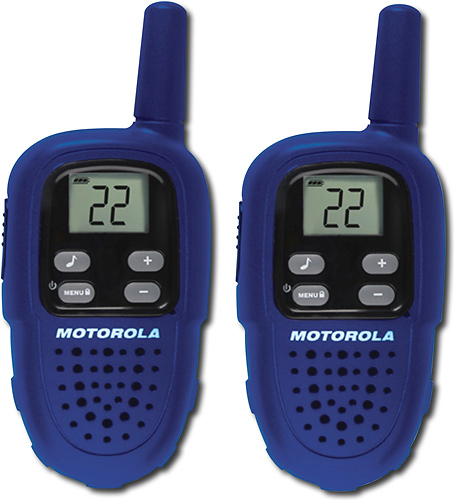
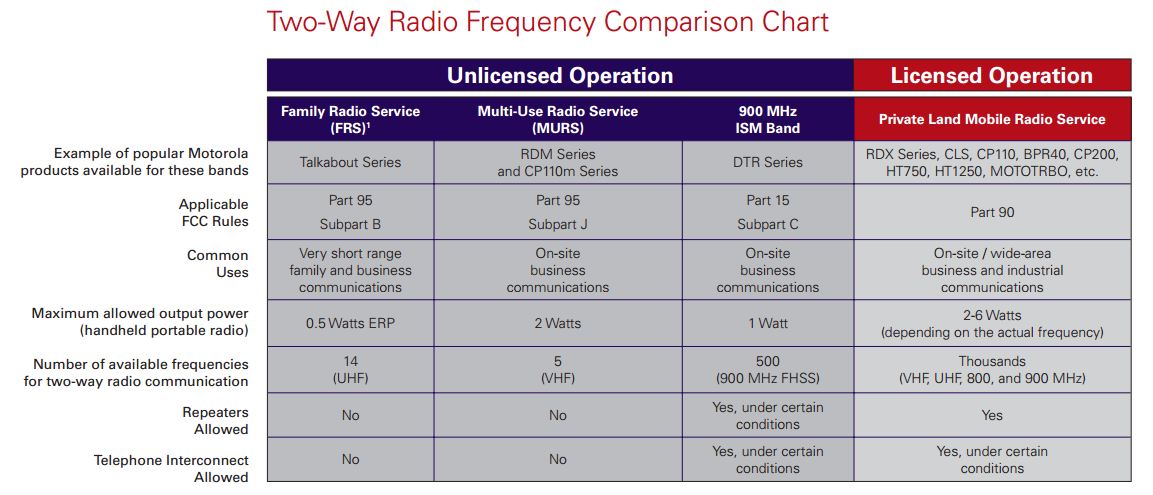
FRS Radios are low power and License freeHotel and retail business owners and general managers often purchase analog Part 95 FRS (Family Radio Service) radios for on-site communications. You can find them almost anywhere at very low prices and there is no FCC license required.

After a few months, the batteries do not last an entire shift, dead spots increase, and interference from children can become unbearable when directing your employees. Some FRS radios also have higher power GMRS (General Mobile Radio Service) frequencies for better range but require a costly FCC license in an individual’s name – not the business.

Part 95 MURS Band is a Better Choice for License Free Communications

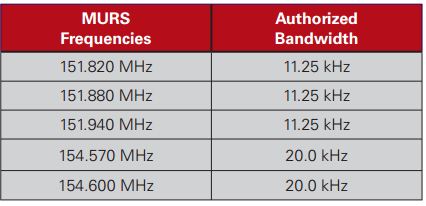
Part 95 MURS Frequencies

MURS (Multi-Use Radio Service) band consists of five frequencies designated for private, 2-way, voice and data communications for individual and business use. Power output limitation is two watts and 4 times greater than FRS. Although there is no protection from possible interference from other users, the MURS band is a much better alternative when choosing license-free channels. Repeaters and signal boosters are not allowed and operation in aircraft is prohibited.

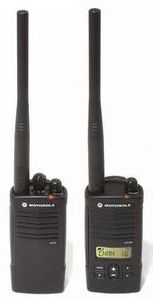
Motorola CP110m is Designed for MURS Operation

The Motorola CP110m is available with 2 or all 5 MURS analog channels.Motorola CP110m MURS 2 & 5 channel radios It provides better battery life and is rated IP54/55 for water and dust resistance. It uses the same batteries and accessories as the Motorola RDX series.

The CP110m will provide coverage in a 10 story hotel up to 200,000 square feet. You can purchase an optional 2 or 3 year warranty. Expect the radio to be in service for a long time. Scan, VOX (voice operated transmit) hands-free operation, and voice scramble provide a lot of value for the low price.

CP110m programming software is free from Motorola and cloning is easy using the included chargers. All you need is the USB programming cable (RKN4155) and a cloning cable (RLN6303) if you want the ability to make any changes to your privacy codes or frequencies.

Many other Motorola and Vertex Standard analog portable radio models can be programmed to use MURS channels using the low power setting. This helps with interoperability when working with other companies and provides more flexibility for your future requirements.

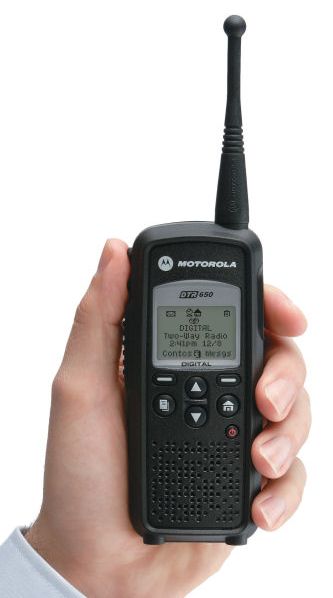
Part 15 900 MHz ISM Band is License Free for DTR Digital RadiosMotorola DTR digital license free radio

900 MHz ISM band provides better building penetration for up to 20 floors.The DTR650 digital radio can also provide one-to-one private communications when needed. It is only compatible with other DTR radios.

Text messaging for discreet messaging, unit ID, long battery life, and call alert are just some of the digital features included. Free programming software is also available for this model.

Priced significantly less than $300 it is the best choice for on-site communications using license-free spectrum.

FCC License Free vs. Licensed 2-way Radio Spectrum

Obtaining a FCC license is still the best alternative for your business because you will have less interference, more range, and many more radio choices. We have many customers using MURS and ISM band that have are very satisfied with their radios for many years. Feel free to contact us to determine if license free communications will work for your business.

FRS MURS ISM FCC License Comparison Chart

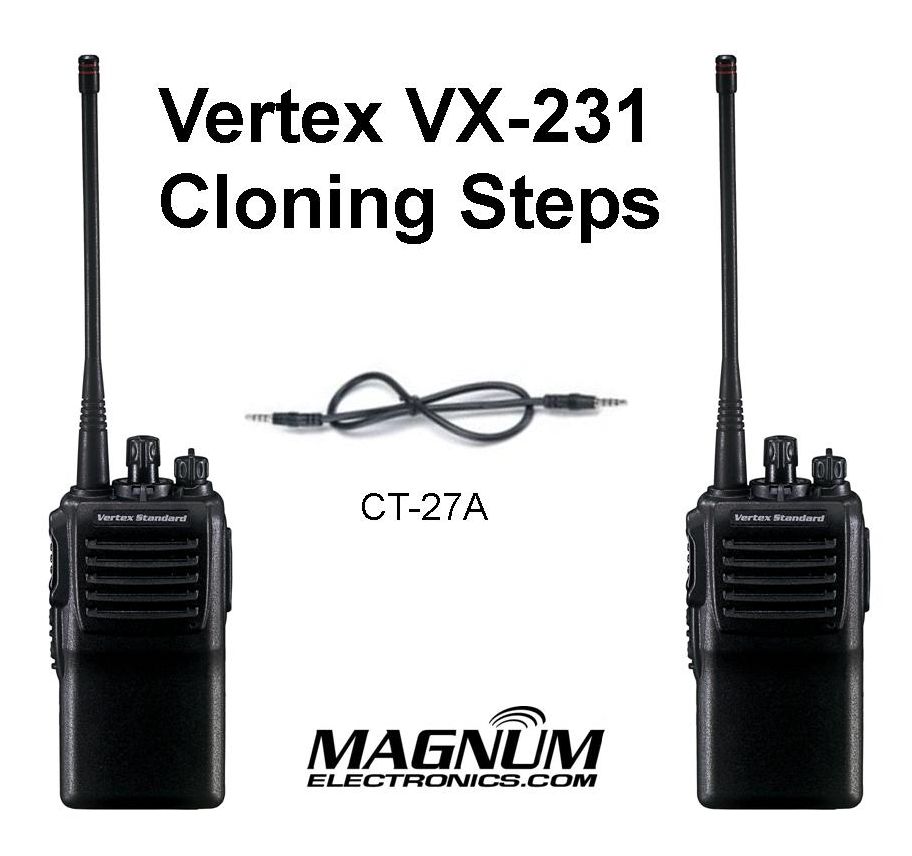
How to Clone a Vertex VX-231

VX-231 Cloning Requires a CT-27A Cable

Vertex VX-231 Radio-to-Radio Cloning Requires a CT27A Cable

Vertex Standard VX-231 2-Way Radio Includes Easy Cloning Feature

The Vertex VX-231 radio model includes a radio-to-radio cloning feature that makes it easy to add new radios to your existing fleet. All you need is a Vertex CT27A cloning cable and identical VX-231’s on the same frequency band split.

Instructions to Clone Vertex VX-231 Radios

  1. Turn radios offVX-231 Knobs, Buttons, LED Lebels
  2. Connect the CT27 cloning cable to the MIC/SP jacks
  3. Press and hold the “Side 1” key and the “PTT” key while turning the radio ON.  The LED will quickly blink green and red then go out.
  4. Press the PTT button once to put the radio in “CLONE” mode, the LED indicator will glow “Orange”.
  5.  Repeat steps 3 and 4 on the other radio.
  6. To switch the destination radio to receive data, press the “Side 1” key. Then the LED indicator will glow “Green“.
  7. To switch the source radio to transmit data, press the “PTT” key. Then the LED indicator will glow “Red“.
  8. If the cloning is successful, the LED indicator will go out.

Cloning will transfer transmit and receive frequencies, privacy codes, channel power levels, narrow or wide bandwidth, and other programmable features. It cannot change a radio from VHF to UHF or a UHF low split to the higher split.

Check the Date Codes of Your 2-Way Radio Batteries

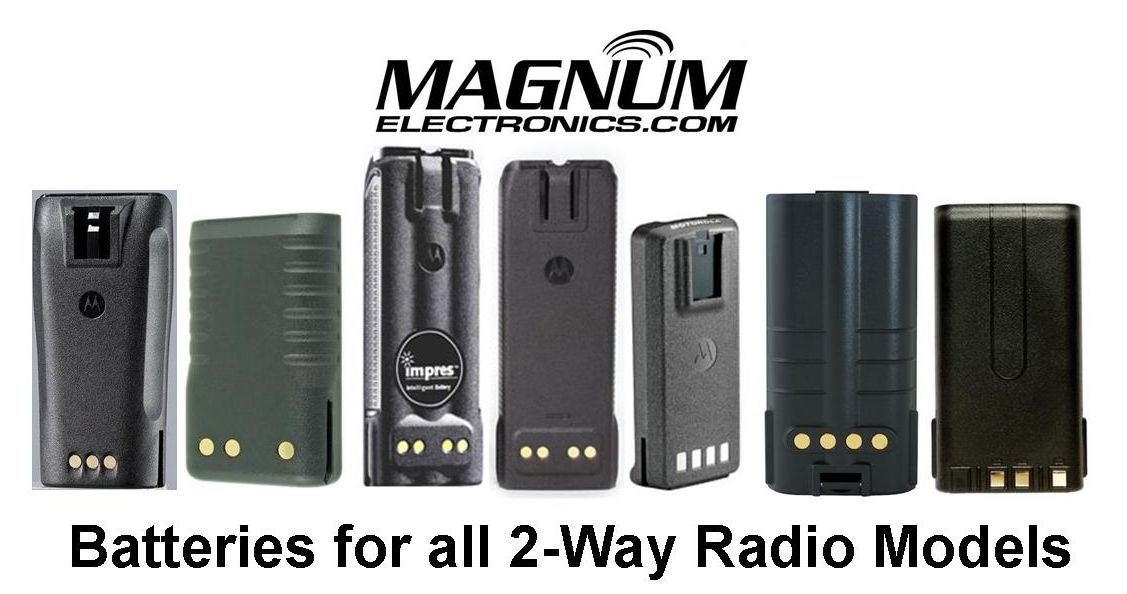
Magnum Electronics Supplies Batteries for All 2-Way Radio Models

It is that time again to check your radio batteries so you keep your communications loud and clear. Batteries begin to degrade after 18-24 months of use and can affect radio performance. Many intermittent radio problems are solved with a fresh battery.

How to Read a Motorola Battery Date Code

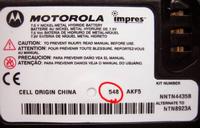
All Motorola batteries have a 3 digit date code on the battery label. Check the date codeMotorola Battery Label and Date Code Circled on your Motorola battery and if the first digit is a “0” or “9” it is a good time to replace it.

The first digit represents the “Year” and the next digits are the “Week” manufactured. For example; 036 is the 36th week of 2010.

All Motorola batteries carry a replacement warranty of at least a year after the date code and probably longer if marked IMPRES or contain NiCD cells.

Replacement Batteries for Motorola, Vertex, & Other Radio Manufacturers

We carry Motorola Original OEM, Vertex-Standard OEM, and Power Products batteries for all current and discontinued radio models.

Below are links to the most popular and recommended batteries:

We also carry replacement batteries for Harris, Kenwood, Icom, Tait, and many other hard to find models. Check our 2-Way Battery selection or call us and we will be happy to help you find the best battery for your needs.