
OTTO Revo NC2 Noise-Cancelling Microphone Now Available

2-way Radio Accessories - Expect ExcellenceOTTO recently introduced a new patent-pending noise-cancelling remote speaker-microphone compatible with most popular 2-way radios. The Revo NC2 rugged microphone has a submersible rating of IP68 but still has a receive-only audio jack.

The V2-R2ER1212 is compatible with the Harris P5300, P5400, P5500, and P7300, Noise-cancelliing remote speaker-micXG-75, and XG-25. There are two Kenwood choices – the V2-R2KB5112 with a multi-pin connector for NX200 or the V2-R2KA5112 for ProTalk and models with a 2-pin connector.
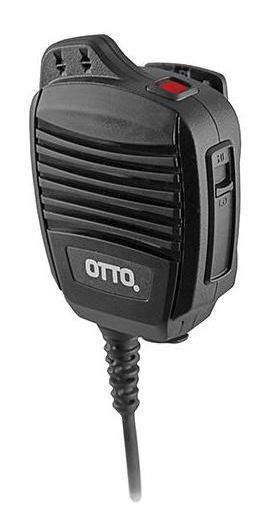
OTTO also released the V2-R2MF5112 microphone for Motorola APX and MOTOTRBO XPR 6000/7000 series models. There is also the V2-R2MG5112 microphone for CP Series, PR400, BPR40, and others with a 2 pin jack.

Working in a high noise environment requires hearing protection. The NC2 has a 2.5mm or 3.5mm audio jack for a receive-only earpiece or dual muff headset. We recommend the 3M Peltor HT Series Listen-Only models available in headband, neckband, or hardhat mount.

OTTO Revo NC2 User Manual

OTTO is a leading manufacturer of two-way radio accessories located in Carpentersville, IL. Founded in 1961, the company has a reputation for high quality public-safety grade audio accessories. Magnum Electronics, Inc is an authorized dealer.

Boston Leather Radio Holders and Public-Safety Accessories Now Available Online

Leather Accessories for Fire, EMS, and Law EnforcementBoston Leather radio holders, fire, ems , and law enforcement accessories

Since before World War II, Boston Leather has been focused on manufacturing high quality leather goods designed for public-safety professionals. Located in Sterling, Illinois they continue to develop custom 2-way radio holders, firefighter straps, and badge holders. We now offer their entire catalog and have radio holders, fire/ems, and law enforcement accessories online with pricing.

Motorola APX 6000XE Radio Holder Now AvailableAPX6000XE Radio Holder

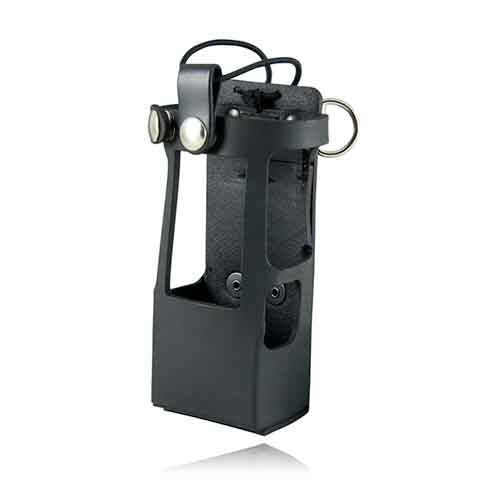
For firefighters carrying the Motorola APX 6000XE Model 2.5 or 3.5, there is a custom designed leather holder (5611RC) with large rings that is used with their 6543 strap or the 6543R reflective strap. The case fits the standard size APX batteries including the NNTN7038 (most popular), PMNN4403, and the NNTN8092.

Boston Leather Product Catalogs

Visit our Boston Leather Products online catalog with pricing or download the current full catalog. Also available for download are the Fire Brochure and the K-9 flyer. Please contact us for a quote for any accessories not online yet using the form below.

← Back

Thank you for your response. ✨

Rules for Ordering Mobile Computer Docks; Do I need RF Pass-Thru?

Determine If your Computer Has Any RF Antenna Connectors

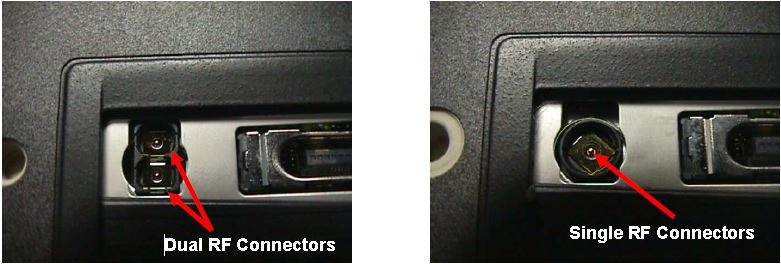
Most rugged mobile computers can be ordered with 0, 1, or 2 external RF connectors. A single connector is used for cellular WAN such as Verizon, AT&T, or Sprint and the second is used for WLAN (WiFi) external antennas. The first step is to determine how many antenna ports (if any) are on your computer.

The photos below show a Panasonic CF-18 with one and two RF connectors:

Computers with RF Pass-Thru

If your computer does not have RF connectors, it will only work in a docking station that has no RF pass-through capability.

If Computer Has RF Pass-Thru Follow These Rules For Dock Purchases

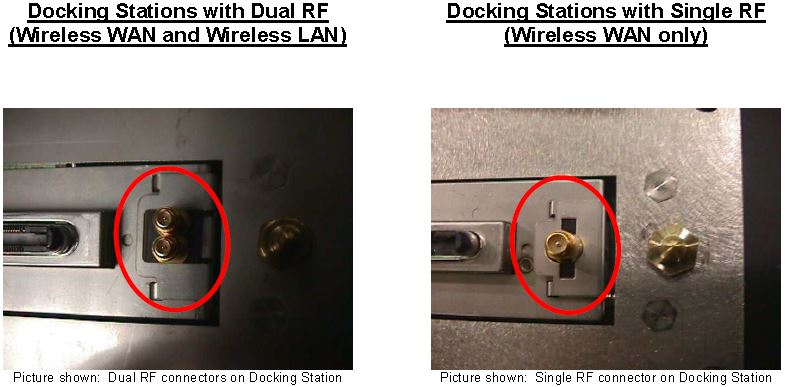
Docks with Single and Dual RF Pass Thru

If your computer has RF capabilities you can use a docking station that has:

a) has no RF pass-through or

b) you must match the RF capabilities (Single or Dual) with the RF pass-through on the docking station (Single or Dual).

For example:

  • If you have a single RF computer, you can order a docking station with single RF pass-through or non-RF pass-through
  • If you have a dual RF computer, you can order a docking station with dual RF pass-through or non-RF pass-through

For more information on Panasonic, Gamber Johnson, or Havis docks call our office at 302-734-9250 M-F 8-5:00pm EST or use the form below.

← Back

Thank you for your response. ✨

Light Indicators and How to Pair a Firecom Wireless Headset

Firecom Wireless Headset LED Indicator and Audio Beep MeaningsFirecom Wireless Indicator Lights

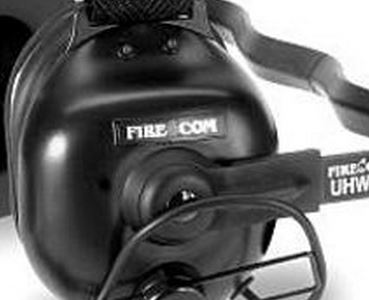
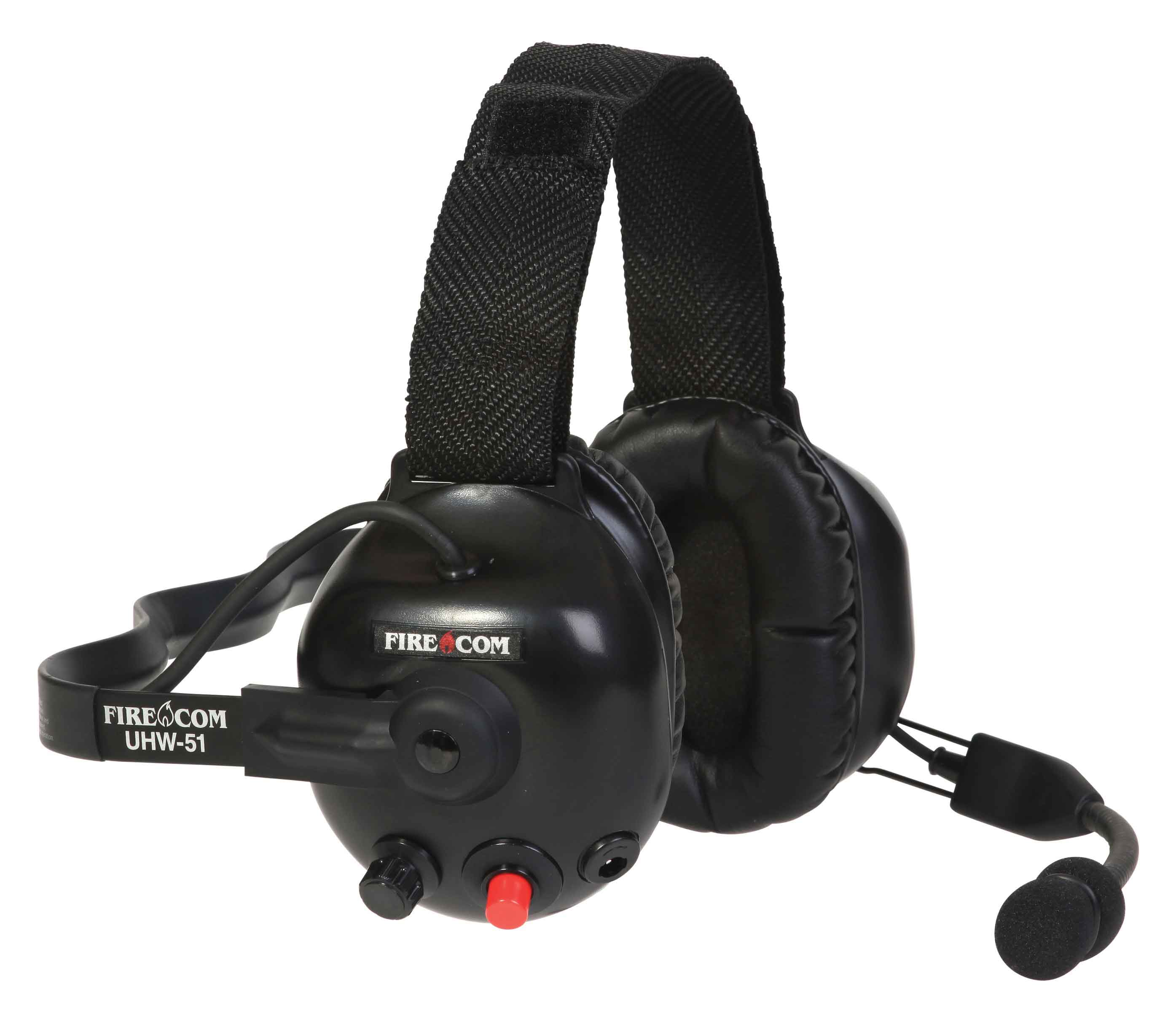
Firecom wireless headsets have one green and and one red LED indicator light on the top left ear dome (microphone side). The lights and audio beeps provide the user a quick indication if the headset is connected and the battery is charged.

Indicator Lights When Connected to Charger Cable

When the charger is plugged into the powered OFF headset it will show RED when charging and GREEN when fully charged. Charging takes 2 hours and will provide about 10 hours of normal operation.

When powered ON and charging, the light meanings are:

  • GREEN ON, RED ON: Charging, headset linked to base
  • GREEN ON, RED OFF: Charge complete, headset linked to base
  • GREEN Flashing, RED ON: Charging, headset not linked
  • GREEN Flashing, Red OFF: Charge complete, headset not linked

Indicator Lights When Charging Cable is Unplugged

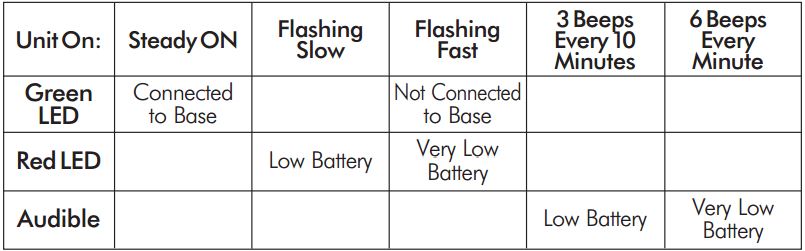
Below is a chart that shows what the light and beeps mean when the headset is powered ON and the charger disconnected:

Wireless Headset Indicator Light  ChartFirecom Wireless Headset Pairing Procedure & Video

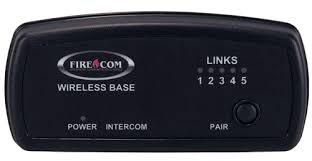
Firecom Wireless BasePress and hold the pairing button on the base for approximately 6 seconds until the yellow LED(s) on the base station start flashing, indicating pairing mode. When placed in pairing mode, you have about 15 seconds to place the headset in pairing mode.

Firecom Wireless UHW-51 Press and hold the PTT button, turn on power to the headset. After approximately 5 seconds, the green and red LEDs on the outside of the left ear dome will start flashing in a relatively fast alternating pattern. Release the PTT button.

Monitor the headset lights. After about 6 seconds, the flashing pattern ends, the green LED will flash for two seconds and then the green and red LEDs will indicate the headset is paired and linked to the base. The LINK LED on the base will illuminate steadily after flashing rapidly for two seconds to indicate that a link to the headset has been established.

Motorola APX Mobile Control Head Choices Explained

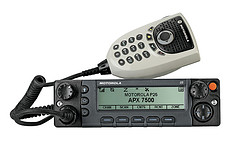
Configure Your APX With The Best Controls For Your InstallationMotorola APX 6500 O5 Head with Keypad Mic

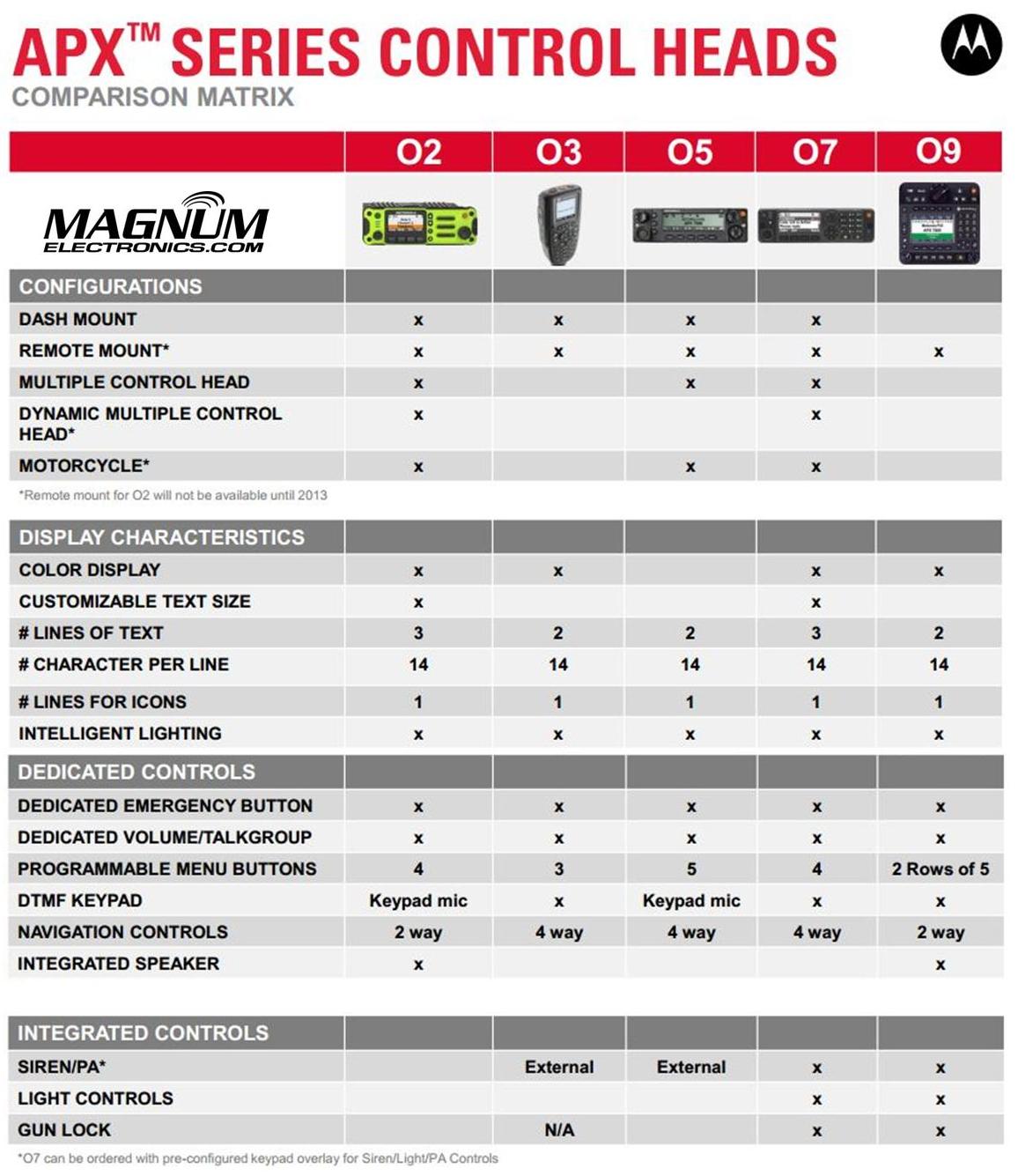
Until last year, only the O3, O5, and O9 heads were available for Motorola APX mission critical P25 mobile radios. The APX 4500 was introduced with the new O2 head for dash or remote mount configurations. There are now five control head choices available for the APX 6500 and APX 7500 radios including the O2, O3, O5, O7, and O9.

The O2 and O7 heads should be considered before you order your next APX 6500 or 7500.

APX O2, O3, O5, O7, O9 Control Head ChoicesChoose the APX O2 Head Option for Outdoor Installations 

The O2 head is rated IP55 for extreme environments and is designed for motorcycle, marine, and fire truck pump panel installations. We used this configuration for the South Bowers airboat. This rugged, XE style head has a color display, large knobs, and an integrated speaker.

Choose APX O7 Control Head for Integrated KeypadMotorola APX O7 Control Head

The O7 control head has a flush-mount design with integrated keypad, siren, lights, public address (PA) and gun-lock controls. It features a color display with enlarged multi-function rotary knob for easier control of talk-group and volume settings.

APX O5 and Specialized O3, O9 Control Heads Are Still Available

The O5 head is still the most popular option for most applications but the new choices make it a tougher decision. The O3 hand-held control head is perfect for covert and other special installations. The O9 head is packed with features but requires a bigger footprint.