How Magnum AVL GPS Local Fleet Management Impacts Your Bottom Line

Real Time Vehicle Location Data Improves Decision Making
Magnum AVL - Improving Fleet Efficiency with GPSIn today’s fast paced business environment, knowing where your vehicles are provides a competitive edge. If knowledge is power and time is money, even small local fleets can benefit from Magnum AVL fleet and asset tracking.

Knowing exactly where all of your mobile assets are in real time or being able to look back anytime during the past 6 months with a couple mouse clicks will make you a smarter organization. You will be able to quickly identify where you are losing money and make corrections faster.

Most Local Fleets Save a Minimum of 20%-25% on Fuel Bills
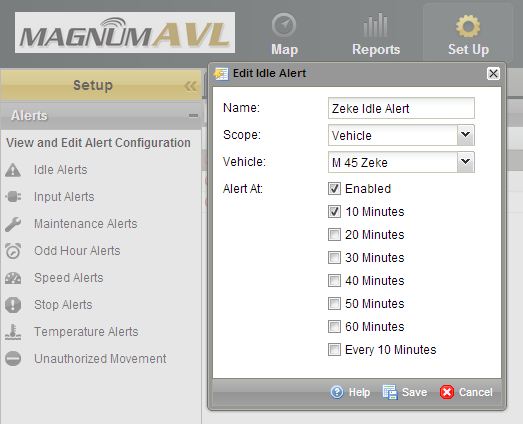
Magnum AVL Idle Alert SetupMagnum AVL provides vehicle idle time reports each day, week, month, etc. You can be alerted with an email or text message in real time after a predetermined limit has been exceeded if you desire. The average vehicle burns almost a gallon of fuel every hour so just decreasing idle time can justify the return on investment.

Speeding in a lettered vehicle not only uses more fuel but it can ruin your reputation. You can also set speed alerts with Magnum AVL to identify a reckless driver.

GPS Tracking Prevents Unauthorized Use Resulting in Fewer Miles

Fewer miles driven means going to the pump less often. How many miles per gallon do your vehicles average? If your service truck gets 17 mpg, 10 less miles per day will double your ROI. If your mobile assets are remote and don’t start/end the day at your yard this can save significantly more.

Labor and Overtime Costs Will Drop With GPS Fleet Tracking

Magnum AVL can reduce labor and overtime costs especially when there is more than one worker in the vehicle. You will know exactly when your vehicle arrives and leaves the job. Customer complaints about a driver that never showed or was there only a short time can be checked and proven true or false immediately.

If you seem to have a chronic overtime problem, Magnum AVL will provide the information needed to identify the cause. Saving 30 minutes of overtime per week can save thousands of dollars at the end of the year.

Magnum AVL Improves Employee Safety, Customer Service, and Peace of MindMagnum AVL Logo Truck and Map

Contact your drivers when they are stopped and not when they should be concentrating on the road. Let your customers know when your technicians are about to arrive at a service call. Know job arrival times without bothering the driver.

Also, many insurance companies will provide a discount when GPS fleet tracking is installed.

Interested in a Demo,  ROI Analysis, or Have a Question?

← Back

Thank you for your response. ✨

New Features Added to Magnum AVL GPS Web Interface

Magnum AVL - Improving Fleet Efficiency with GPS

Fleet Management Software Enhancements Continue with New Release

We are proud to announce the latest release of Magnum AVL 2.0 GPS fleet and asset tracking software. MAVL 2.0.15 includes new features based on your requests and feedback. Our goal is to provide the best fleet management user interface that is simple, powerful, and economical.

New Work Day Summary & Work Day Detail Reports

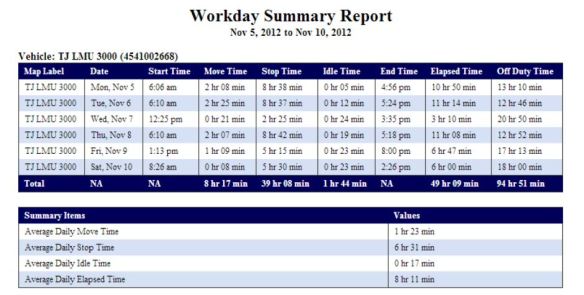
The Workday Summary Report indicates Start time, Move time, Stop time, Idle time and End time for each day in the reporting period. The total elapsed time for the reporting period is displayed. Elapsed time is defined as the time period from the first Ignition On and the last Ignition OFF.

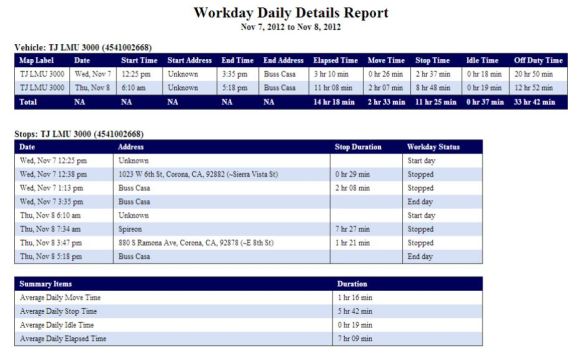
Magnum AVL Workday Summary ReportThe Workday Daily Details Report below contains everything in the workday summary report and also includes the Start and End addresses.

Magnum AVL Workday Daily Details Report

Low Battery & Power Reconnect Alerts Added

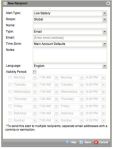
Low Battery Alert Set-upYour vehicle can now send a text message or email when the battery is low. The power reconnect alert has been added for our soon to be announced OBD-II Plug-in MVP1000 GPS tracker, but can also be used to alert if the power is disconnected for other reasons.

These new alerts work with any of our Magnum AVL GPS fleet trackers.

Control Panel Now Shows Heading and Odometer Columns

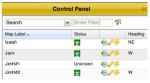
Magnum AVL Control Panel HeadingA new column has been added to the control panel that shows the vehicle heading. This is helpful to determine which direction the vehicle is travelling. There is also column that shows vehicle mileage. You can customize the control panel to add/delete the columns you prefer to view.

Two New Landmark Sizes Improve Reporting

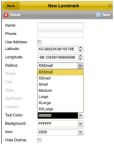
Magnum AVL GPS  Landmark Sizes Adding landmarks (and geofences) is the key to getting the most out of your GPS investment. Landmarks are map icons you frequently visit such as your own location, suppliers, and customers. Landmarks provide additional data for fleet management and are a powerful tool to increase fleet efficiency.

XSmall and XXSmall options have been added to the Radius dropdown menu of the New Landmark window in the Map tab. The XSmall is 40 meters in radius, and the XXSmall is 15 meters.

Free Training Webinars Continue

A live webinar with our dedicated training specialist can be scheduled at your convenience using your Magnum AVL account and fleet data. We encourage you to take advantage of this free service. Send us an email and we will get it set up for you.

If you don’t see the new features on your computer hover over the Help link in the upper right corner. If it is not 2.0.15 refresh your browser by pressing F5. You might have to close your browser too.

Advantages of New Motorola DMR MOTOTRBO XPR 5550

New Motorola XPR 5000 Series Supports Analog and Digital DMR

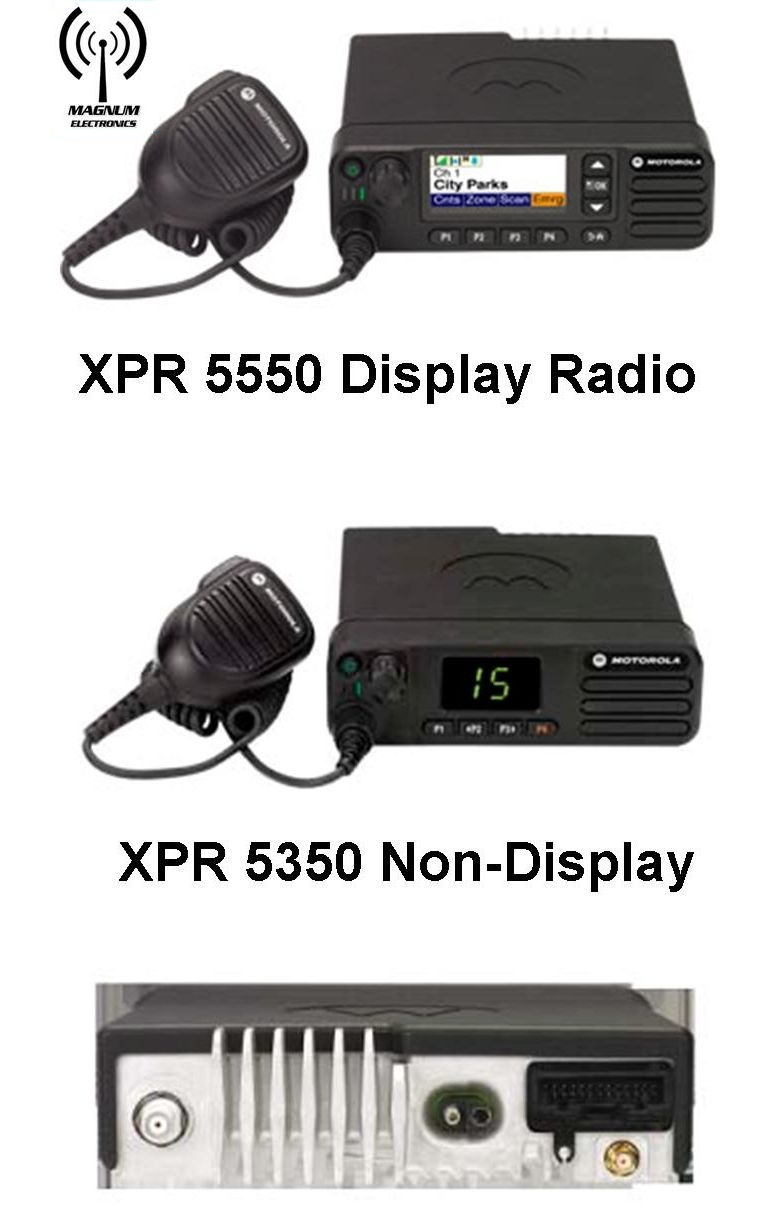
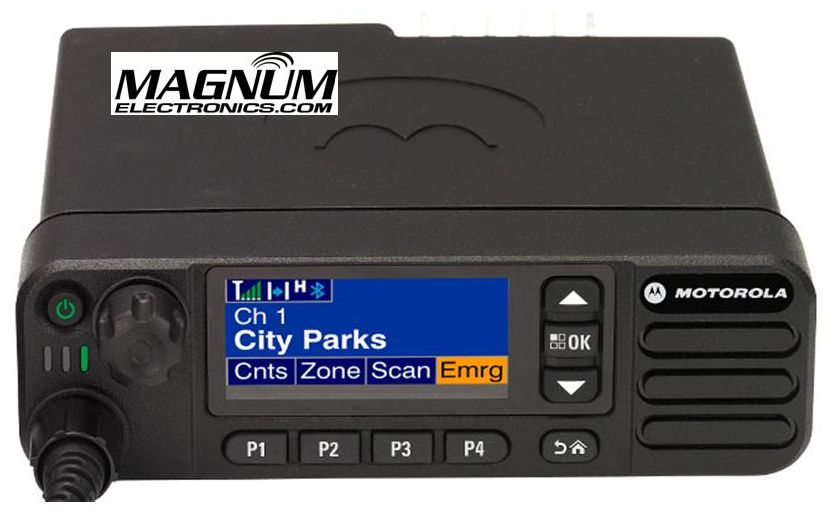
Motorola MOTOTRBO XPR 5350 & XPR 5550 Motorola’s newest base/mobile offering to the MOTOTRBO DMR platform is the XPR 5000 series. Introduced in the VHF and UHF bands, the radios can be programmed with up to 1,000 analog and digital channels providing easier migration and interoperability. 

The flagship XPR 5550 includes a color display with day and night modes for easier viewing. The XPR 5350 has a numeric channel display and 32 channel capability.

An internal GPS receiver and text messaging is standard on both models.

New XPR 5000 Series Includes Embedded Wireless Bluetooth for Voice and Data

Workers can monitor and respond to voice radio traffic when not in the vehicle using any standard Bluetooth headset. This can enhance productivity by giving your workforce the ability to stay in touch when away from the mobile radio.

Bluetooth is also an easy way to connect hand-held scanners, bar code readers, and other data collection devices. You will need to purchase the HKVN4088 optional software license at a cost of $50 to enable the data transfer feature. MOTOTRBO already supports many independent software applications that enhance mobile worker productivity.

XPR 5550 5 Line Color Display Provides Day and Night Modes for Easier Viewing

Motorola XPR 55550 Display in Night Mode

Motorola XPR 5550 Display in Night Mode

Text messaging, mobile workforce productivity applications, and large channel lists are easily managed with the XPR 5550 5 line color display. The bright display can be viewed easily in broad daylight or in low light environments with night mode. Four programmable buttons can be labeled for your operational needs and a home button provides an easy user interface.

Dual Function Channel/Volume Knob Eliminates Rocker Switches

The XPR 5000 series incorporates a single knob for both volume and channel control. With a short press of the knob you can change your volume and channel easily. The XPR 5000 platform also has a nice feature called “intelligent audio” that increases or decreases the volume automatically if surrounding noise conditions change.

One Minute Video Summary of the XPR 5000 Series