GPS Fleet Management From Your Smartphone

Magnum AVL Live GPS Tracking for Android and Apple Mobile DevicesMagnum AVL Logo

Fleet location, speed, and history for up to 6 months has been optimized for Magnum AVL users with smartphones and tablets. Our new Mobile Viewer portal provides fast access from your Home screen. Set-up is simple and only takes a couple minutes using your same login info. 

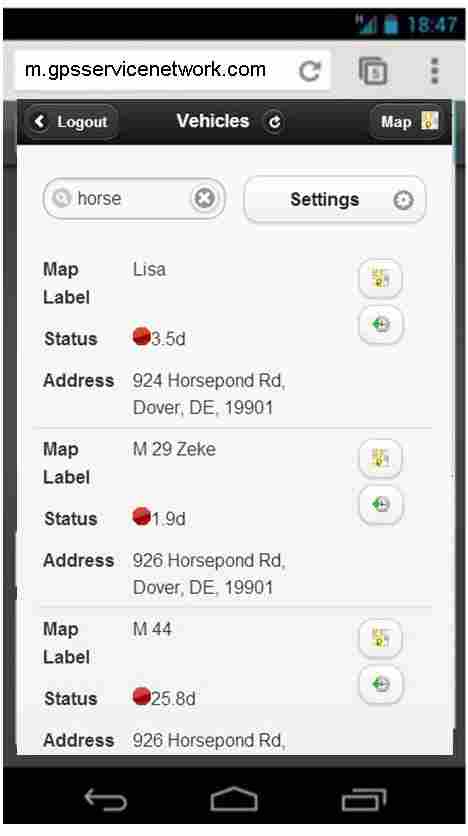
List View Can Be Customized to Show Preferred InfoMagnum AVL Mobile Viewer List View
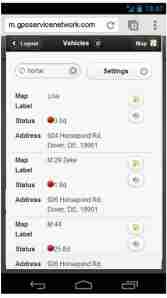
After the single press log-in, the List View control screen shows all of your vehicle, asset, and trailer trackers. You have the ability to show (or hide) and sort the following info:

  • Map label
  • Serial number of AVL tracker
  • Status (length of stop or moving)
  • Group (for larger fleets)
  • Odometer
  • Street Address
  • Driver
  • Vehicle VIN number

Most users will want to change the default settings to hide the serial numbers and unhide the address fields.

Map, Street, Satellite, and History View Screens Provide Fast Answers
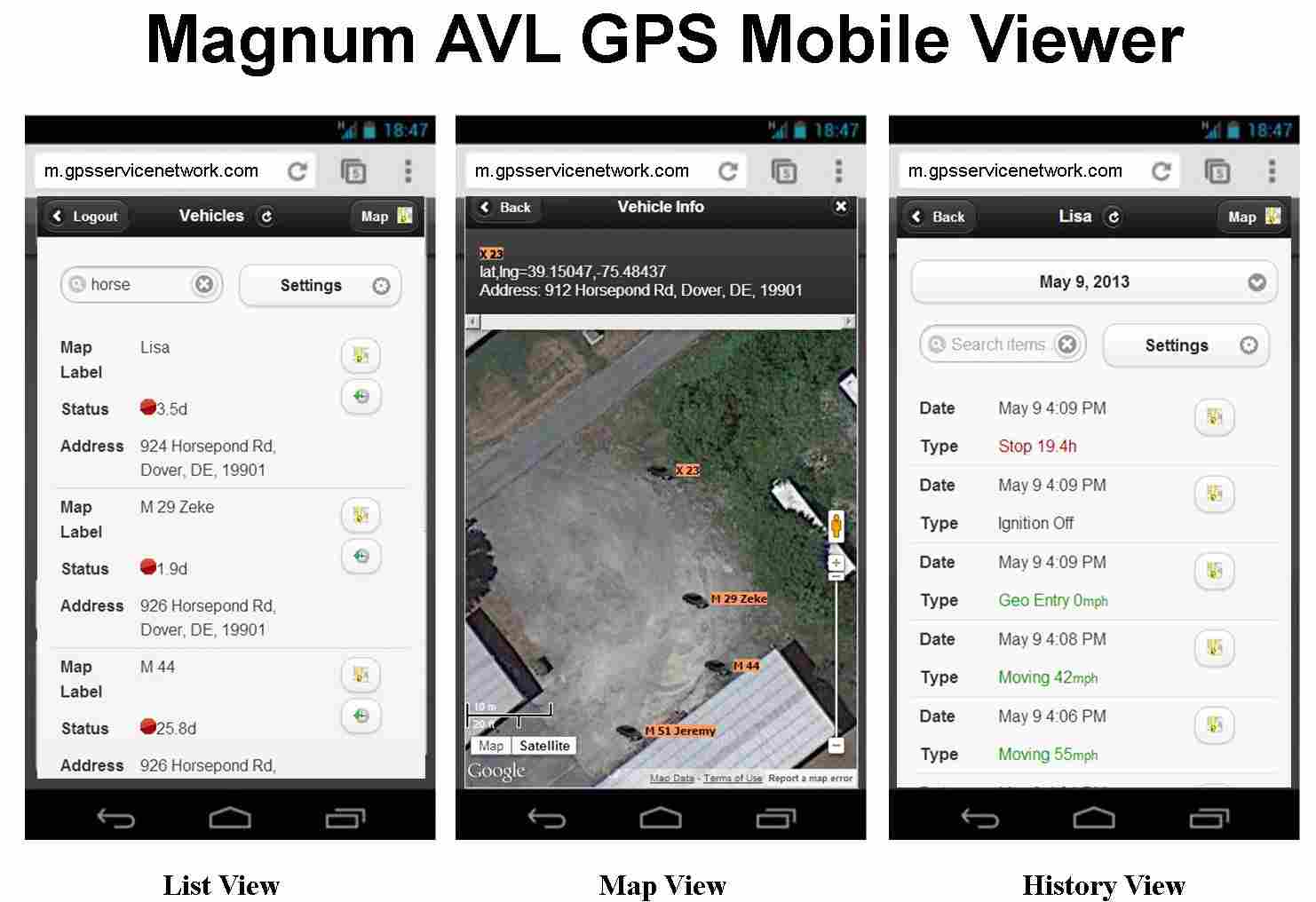
Mobile Viewer List, Map, History Screen Shots

The same icons found in the desktop version make it easy to use the Magnum AVL Mobile Viewer. From the List View screen a simple button press will launch the Map View or the History View that shows speed and location data for the previous 6 months.

Magnum AVL GPS service pricing plans do not require a long term contract. If you have any questions or need to contact us, please use the form below:

← Back

Thank you for your response. ✨

New Features Added to Magnum AVL GPS Web Interface

Magnum AVL - Improving Fleet Efficiency with GPS

Fleet Management Software Enhancements Continue with New Release

We are proud to announce the latest release of Magnum AVL 2.0 GPS fleet and asset tracking software. MAVL 2.0.15 includes new features based on your requests and feedback. Our goal is to provide the best fleet management user interface that is simple, powerful, and economical.

New Work Day Summary & Work Day Detail Reports

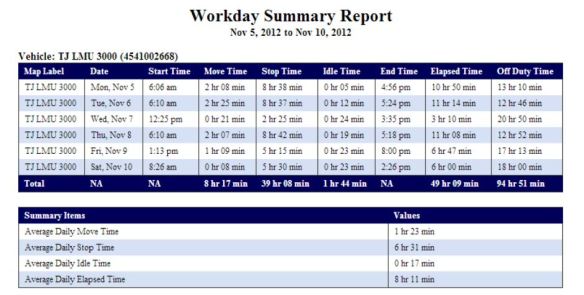
The Workday Summary Report indicates Start time, Move time, Stop time, Idle time and End time for each day in the reporting period. The total elapsed time for the reporting period is displayed. Elapsed time is defined as the time period from the first Ignition On and the last Ignition OFF.

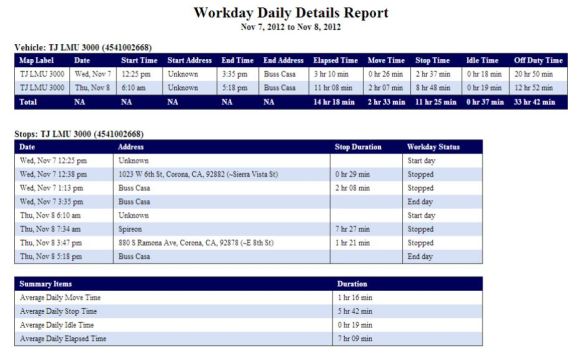
Magnum AVL Workday Summary ReportThe Workday Daily Details Report below contains everything in the workday summary report and also includes the Start and End addresses.

Magnum AVL Workday Daily Details Report

Low Battery & Power Reconnect Alerts Added

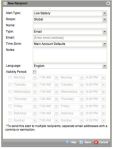
Low Battery Alert Set-upYour vehicle can now send a text message or email when the battery is low. The power reconnect alert has been added for our soon to be announced OBD-II Plug-in MVP1000 GPS tracker, but can also be used to alert if the power is disconnected for other reasons.

These new alerts work with any of our Magnum AVL GPS fleet trackers.

Control Panel Now Shows Heading and Odometer Columns

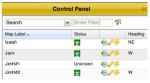
Magnum AVL Control Panel HeadingA new column has been added to the control panel that shows the vehicle heading. This is helpful to determine which direction the vehicle is travelling. There is also column that shows vehicle mileage. You can customize the control panel to add/delete the columns you prefer to view.

Two New Landmark Sizes Improve Reporting

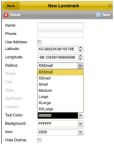
Magnum AVL GPS  Landmark Sizes Adding landmarks (and geofences) is the key to getting the most out of your GPS investment. Landmarks are map icons you frequently visit such as your own location, suppliers, and customers. Landmarks provide additional data for fleet management and are a powerful tool to increase fleet efficiency.

XSmall and XXSmall options have been added to the Radius dropdown menu of the New Landmark window in the Map tab. The XSmall is 40 meters in radius, and the XXSmall is 15 meters.

Free Training Webinars Continue

A live webinar with our dedicated training specialist can be scheduled at your convenience using your Magnum AVL account and fleet data. We encourage you to take advantage of this free service. Send us an email and we will get it set up for you.

If you don’t see the new features on your computer hover over the Help link in the upper right corner. If it is not 2.0.15 refresh your browser by pressing F5. You might have to close your browser too.